
Welcome to our comparison of modern office setups. Choosing the right furniture helps you stay comfortable while you work. Many people want to improve their health by changing how they sit or stand during the day.
Recent studies show that using a standing desk can reduce back pain by 37%. While a traditional setup is very familiar, the costs for new height-adjustable options range from $300 to $1,200. These desks are now common in many American workspaces.
This guide looks at how different desks impact your health and focus. We found that alternating between sitting and standing every 30 to 60 minutes is the best choice. Investing in quality desks is a smart move for your long-term comfort.
We will compare a standing desk against a standard desk to help you choose. You will also see why a basic desk still has some clear benefits for certain users. Finding the right desk depends on your own unique style and budget.
What Makes Standing and Traditional Desks Different
Understanding the core traits of different workspaces is the first step toward a healthier office routine. While both provide a surface for your computer, they serve very different physical needs.
A standing desk focuses on flexibility by letting you change positions throughout the day. These models usually offer a height range from 22 to 50 inches to fit almost any user.
Understanding Standing Desks
Most modern standing desks use clever mechanisms to transition between sitting and standing. You can choose from three main types depending on your budget and needs:
- Electric models: These use motors and memory presets for smooth, automatic adjustments.
- Pneumatic versions: These use gas springs for quick, manual, yet effortless lifting.
- Manual crank systems: These require physical effort to turn a handle and change the level.
Understanding Traditional Desks
The traditional desk has been the standard for office spaces for many decades. It features a fixed frame, usually set at 28-30 inches, providing a very stable surface.
These desks often include built-in drawers and pedestals for better organization. They are perfect for precision tasks or holding heavy equipment that needs a rock-solid base without mechanical parts.
The Shift in Office Furniture Trends
The furniture industry has seen a massive shift over the last decade. Research shows that standing more often helps combat the health risks of a sedentary lifestyle.
Using a desk that allows movement provides the variety our bodies crave during long hours. While a standing desk adds some complexity, it offers a dynamic way to work that fixed desks simply cannot match.
Standing Desk vs Traditional Desk: Complete Design and Feature Comparison
Exploring the internal mechanics and outer build of your workstation helps you decide between a static or moving desk setup. Both styles offer distinct advantages based on how you handle your daily tasks and manage your equipment. Choosing the right furniture involves looking at storage, stability, and modern technology.
Traditional Desk Construction and Features
Standard desks provide a sense of permanent reliability for any professional office environment. They create a dedicated space where everything has a specific home for maximum focus.
Fixed Height and Stability Benefits
The fixed height ensures a rock-solid surface for your most intense work sessions. This design supports heavy equipment like multiple monitors or drafting tools without any shaking or wobbling. You can lean on the surface with total confidence throughout the day.
Built-In Storage Solutions
Many traditional desks include built-in drawers, file cabinets, and pedestals to help you stay organized. This integrated storage is often sacrificed in newer designs to make room for mechanical lifting parts. Having your files and pens within reach of your desks becomes much easier with these classic frames.
Material Options and Durability
Laminate options are affordable and range from $100 to $300 for budget-conscious buyers. Solid wood cost stays between $300 and $800, while premium hardwood can exceed $2,000 for a single desk. These materials directly affect how long the surface remains beautiful over several years of use.
Standing Desk Mechanisms and Adjustability
Modern standing desks use smart technology to keep you moving during the workday. They allow you to transition from sitting to standing in just a few seconds with very little effort.
Electric Motor Systems
Electric standing desks change height at the push of a button for ultimate convenience. Single-motor models are affordable ($400-$1,200), while dual-motor versions ($600-$3,000+) provide much smoother lifting. Most feature collision-avoidance sensors that stop the motor if it hits an object with 40 to 80 pounds of force.
Manual Crank and Pneumatic Options
A manual crank standing model is a great budget choice for standing occasionally. This desk requires more physical effort but eliminates the need for nearby power outlets. These versions usually cost between $250 and $900 and offer a quiet way to change your work posture.
Weight Capacity and Stability Considerations
Commercial frames can lift a weight of 265 pounds or more with ease using powerful internal gears. To limit standing wobble, choose a thick desktop that acts as a structural beam to resist flexing. This keeps the surface steady even at a tall height while you are typing or writing.
Health Effects: How Each Desk Type Impacts Your Body
The way you spend your work hours can have a profound impact on your long-term health and vitality. Choosing between a traditional and a standing desk isn’t just about style; it is about how your body feels at the end of the day. Modern research shows that both extremes—sitting all day or standing all day—carry unique risks that you should consider.
Health Risks of Prolonged Sitting
Cardiovascular and Metabolic Issues
Sitting for 8-11 hours daily increases mortality risk by 15% compared to those who sit less than four hours. This sedentary habit is closely linked to cardiovascular disease and Type 2 diabetes issues. When you remain still for too long, your blood sugar regulation slows down, which can lead to insulin resistance over time.
Spinal Compression and Back Pain
Extended periods of sitting compress your spinal discs and often lead to chronic back pain. This postural stress accumulates over years of desk work, causing lasting damage to your back. Many office workers suffer from these results because traditional desks keep the body in a static, folded position for too long.
Health Risks of Prolonged Standing
Leg Fatigue and Varicose Veins
While standing helps avoid some sitting risks, doing it for more than 6 hours daily can double or triple the risk of varicose veins. Your heart must work much harder to pump blood back up from your legs against gravity. This often causes significant leg fatigue and muscle discomfort by the end of a shift.
Joint Stress and Muscle Discomfort
Too much standing can trigger pain in your feet, knees, and hips due to constant pressure on the joints. Experts suggest limiting these intervals to about 40 minutes to avoid excessive stress. If you stay on your feet for too long without a break, you might experience sharp pain that lingers well after work.
The Dynamic Working Approach: Alternating Between Sitting and Standing
A balanced sitting standing routine is the best approach for modern professionals. One of the major studies from Liverpool John Moores University found that users who alternated positions saw great results. They reduced sitting time by over 80 minutes and increased standing time by 72 minutes daily.
These participants improved their vascular health and saw a 0.40 mmol/L drop in total cholesterol. Most importantly, they reported no increase in musculoskeletal back pain. By adopting a sitting standing strategy every 30 to 60 minutes, you keep your body moving and your metabolism active throughout the day.
| Health Factor | Prolonged Sitting | Prolonged Standing | Dynamic Balance |
|---|---|---|---|
| Cardiovascular | Increased disease risk | Higher heart workload | Improved vascular health |
| Metabolism | Slow sugar regulation | Faster sugar recovery | Lowered cholesterol |
| Spine & Joints | Disc compression | Joint and foot stress | Reduced discomfort |
Posture and Ergonomic Setup for Both Desk Types
Research shows that over 60% of office workers use desks that do not properly fit their equipment or body proportions. This mismatch often leads to chronic pain that a new furniture choice alone cannot fix. Proper ergonomic alignment is the secret to a comfortable workday.
Proper Sitting Posture and Desk Setup
If you prefer a traditional setup, your chair and height levels must align perfectly with your frame. Setting up your station correctly prevents long-term strain on your spine and neck.
Elbow and Wrist Positioning
Keep your elbows close to your body and bent at a 90- to 110-degree angle. Your wrists should stay in a neutral position, parallel to the floor, while you type. This prevents unnecessary pressure on your carpal tunnel and forearms.
Monitor Height and Distance
Set your monitor so the top of the screen is at or slightly below eye level. Keep the display about 20-40 inches away, which is roughly an arm’s length. This distance helps prevent neck strain and protects your eyes from fatigue.
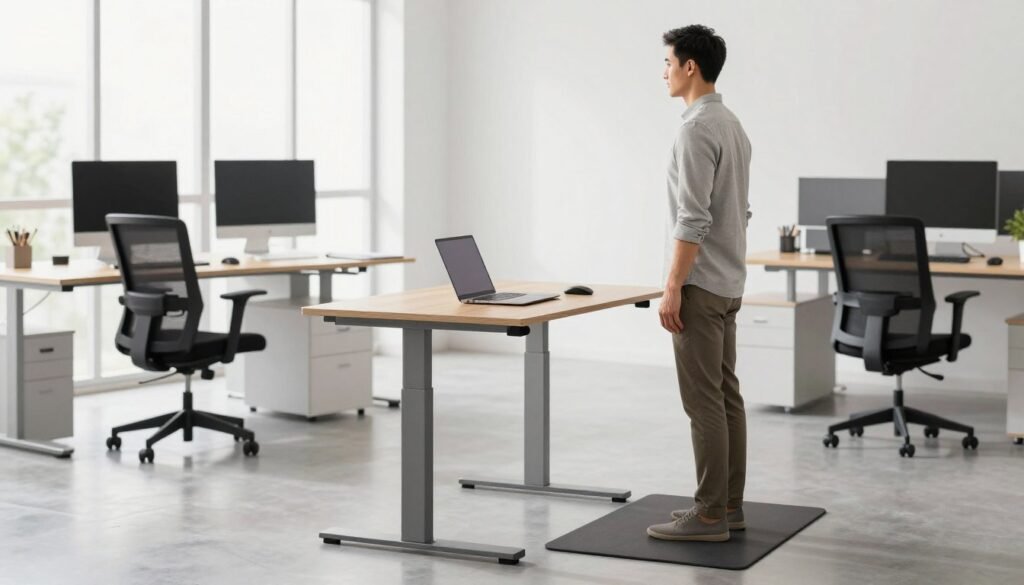
Correct Standing Posture and Desk Height
When you use desks in a raised position, the same upper-body rules apply. You must adjust the desk to approximately elbow height so your arms remain relaxed while you work.
Weight Distribution and Knee Position
Distribute your weight evenly between both feet and keep your knees slightly bent. Never lock your knees, as this causes stress on your joints and lower back. Small shifts in your weight can help keep your muscles engaged.
Transitioning to Standing Work
Start standing for just 15 minutes per hour during your first week. By the second week, aim for 20-25 minutes of movement and upright activity. Eventually, try to hit a ratio of 40 minutes of sitting and 20 minutes of standing each hour.
Essential Ergonomic Accessories
Using an anti-fatigue mat is a great way to cushion your feet and reduce leg stress. These accessories, combined with monitor arms and footrests, create a truly supportive environment. Always remember that moving your body matters more than any single position.
| Feature | Seated Position | Standing Position |
|---|---|---|
| Elbow Angle | 90 to 110 degrees | 90 to 110 degrees |
| Foot Placement | Flat on floor or footrest | Weight even, knees bent |
| Monitor Level | Top at eye level | Top at eye level |
Productivity and Task Performance Comparison
Whether you sit or stand directly influences your output and mental clarity during the work day. Different types of desks excel at different tasks, so understanding these nuances helps office workers maximize their efficiency. Instead of forcing one position, you should learn to match your posture to the demands of your current project.
Best Tasks for Sitting at a Traditional Desk
Precision work that requires fine motor skills is often best handled at a traditional desk. The physical stability of sitting allows for deeper focus when managing complex details. Activities like graphic design or financial analysis benefit from this grounded position.
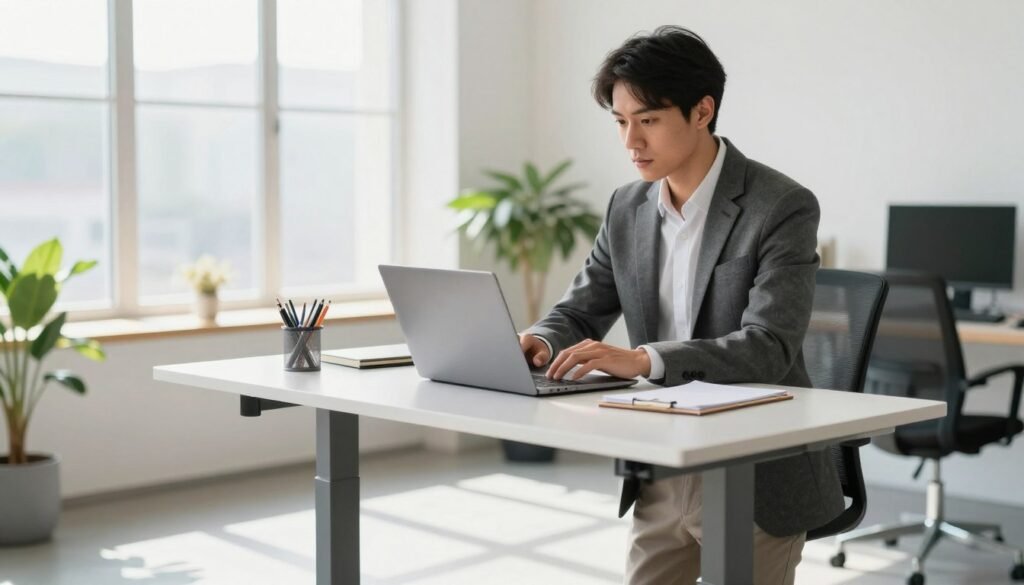
Extended coding sessions or writing reports often require sustained concentration that sitting provides. While sitting standing transitions are helpful, many find that the most accurate results come from a seated position. In fact, research suggests that fine motor tasks are performed more accurately when you are seated.
Best Tasks for Standing
A standing position works wonders for collaborative activities and creative brainstorming. It promotes a sense of alertness that is perfect for video calls or quick work like responding to emails. Many people feel more “on their toes” and ready to participate when they are not slumped in a chair.
- Quick email management and scheduling.
- Collaborative team meetings or brainstorming sessions.
- Routine administrative tasks during low-energy periods.
- Creative writing or ideation phases.
Energy Levels and Focus Throughout the Day
Most people experience a dip in their energy levels between 2 PM and 3 PM. This is the perfect time to raise your standing surface to combat afternoon drowsiness. Standing helps clear the mental fog that often comes from long periods of inactivity.
However, it is important to note that standing can lead to more typing errors than sitting. While your productivity for creative tasks might rise, your mechanical accuracy might slip. Flexibility is the key to maintaining high focus throughout the entire work day.
Calorie Burn: Sitting vs Standing Reality
Marketing for height-adjustable desks often focuses on weight loss, but the reality is more modest. A Harvard study measured energy expenditure across 74 subjects and found very small differences. While standing does burn more than sitting, it is not a replacement for exercise.
| Activity Type | Calories Burned Per Hour | Total for 3 Hours |
|---|---|---|
| Sitting | 80 calories | 240 calories |
| Standing | 88 calories | 264 calories |
| Walking | 210 calories | 630 calories |
Standing for an hour only burns 8 extra calories compared to sitting. Over three hours, that is just 24 calories, or the equivalent of eating a single carrot. To truly impact your productivity and health, a 30-minute walk at lunch is much more effective than simply standing still.
Finally, consider your physical comfort to protect your output. Studies show that 80% of seated workers report lower back pain, compared to 51.7% of those using desks with standing options. Reducing pain naturally keeps you engaged with your tasks for longer periods.
Cost Analysis: Investment and Long-Term Value
When setting up your office, the upfront investment in a desk is just one part of the total value equation. You must weigh the initial cost against how many years the furniture will serve you. Choosing between different desks means looking at both your current budget and your future needs.
Traditional Desk Price Ranges
A traditional desk remains a popular baseline for most workers. These units offer a familiar aesthetic and vary significantly based on the materials used in construction. Finding the right balance between price and quality is essential for a long-term setup.
Budget-Friendly Laminate Options
Basic laminate options usually range between $100 and $300. These affordable desks work perfectly well for basic computer work and light-duty tasks. They provide a functional surface without requiring a massive initial investment.
Mid-Range and Premium Hardwood Desks
Mid-range models made from solid wood or quality engineered materials cost between $300 and $800. For those seeking a lifelong piece, premium hardwood models can exceed $2,000. These executive-style pieces often feature superior craftsmanship in materials like oak or walnut.
Standing Desk Price Ranges
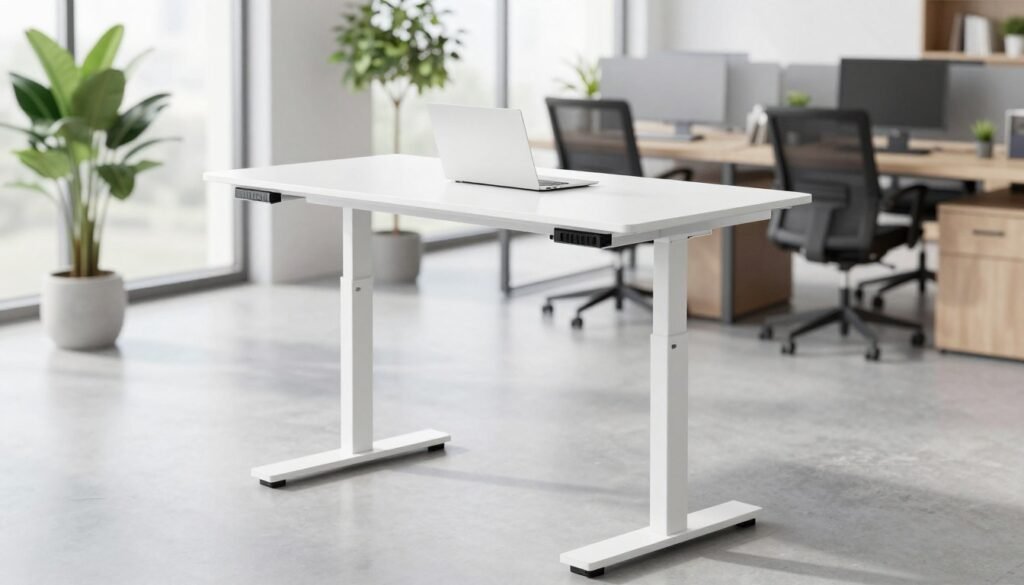
Investing in standing desks often requires more capital upfront than fixed models. However, the ergonomic benefits can save you time by reducing physical fatigue throughout the day. High-quality standing desks are built to withstand frequent movement for over a decade.
Manual vs Electric Models
Manual crank models are the most affordable entry point, typically priced between $250 and $900. While they save money, they require physical effort to adjust. Most users find that a motorized standing desk is much easier to use consistently.
Single-Motor and Dual-Motor Systems
A single-motor electric standing desk usually costs between $400 and $1,200. Dual-motor systems provide superior stability and higher weight capacity for $600 to $3,000. These commercial-grade options are ideal for shared workspaces with heavy equipment loads.
Desk Converter Alternatives
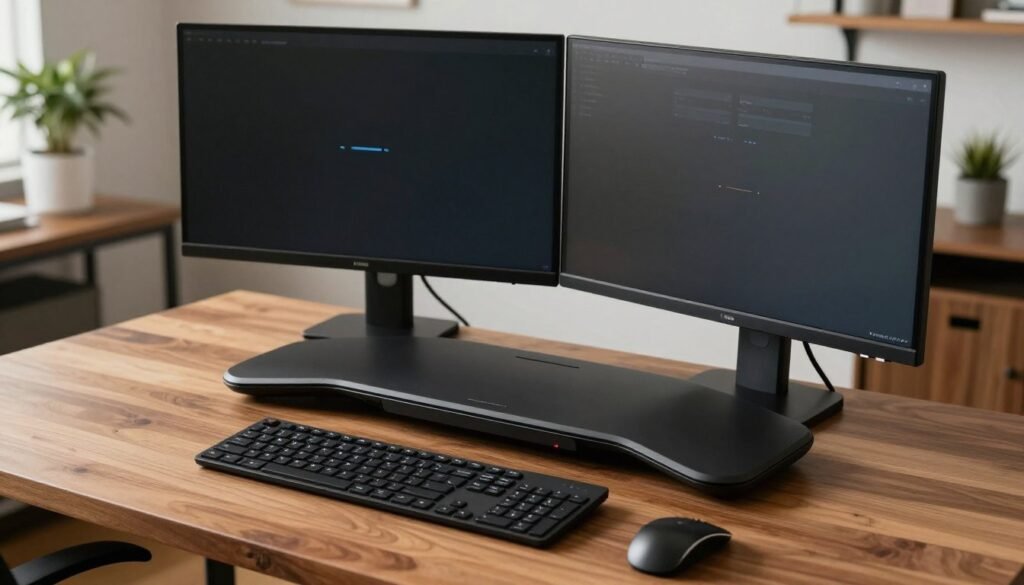
A desk converter is a fantastic middle ground for those on a budget. Prices range from $50 to $500, allowing you to transform your current workspace. It is a smart way to test the sit-stand lifestyle without replacing all your furniture.
Long-Term Cost Considerations and Energy Usage
Quality motorized units usually have a lifespan of 8 to 15 years. You might worry about your electricity bill, but these units are very efficient. An electric model uses minimal energy, costing less than $6.50 annually for daily adjustments in your office.
Space Requirements and Setup Considerations
Successful workspace planning requires looking at both the floor area and the vertical space above your workstation. You need to ensure your furniture fits both your room and your daily movement patterns. Measuring your space carefully helps avoid the frustration of a cramped or unusable work area.
Footprint and Clearance Needs
Both traditional and standing desks generally require a footprint of about 4 feet wide by 2.5 feet deep. This provides enough room for monitors, peripherals, and essential documents. If you have a small room, compact desks measuring 36-48 inches wide are perfect for digital work.
Vertical Clearance for Standing Desks
Standing desks require a vertical clearance of at least 50 inches to accommodate their full height range safely. Check for nearby obstacles like window sills or wall-mounted shelves before you buy. You don’t want your equipment hitting a light fixture as it rises!
Behind-Desk Space for Chair Movement
Always leave 2 to 3 feet of space behind the desk for easy chair access. This ensures you can roll your chair in and out comfortably during any standing or sitting phase. Proper clearance prevents you from hitting walls while you are using your station.
Cable Management Solutions
Traditional desks often lack built-in cord storage, leading to a tangled mess on the floor. Moving units present a unique challenge because they must have longer power cables to function. You should use specialized cable management systems to prevent wires from disconnecting during height adjustments.
Essential Accessories for Each Desk Type
The right add-ons turn a simple piece of equipment into a high-performance office station. These tools help maintain focus and physical comfort throughout your long day. Choosing the right accessories is just as important as the desk itself.
Anti-Fatigue Mats for Standing
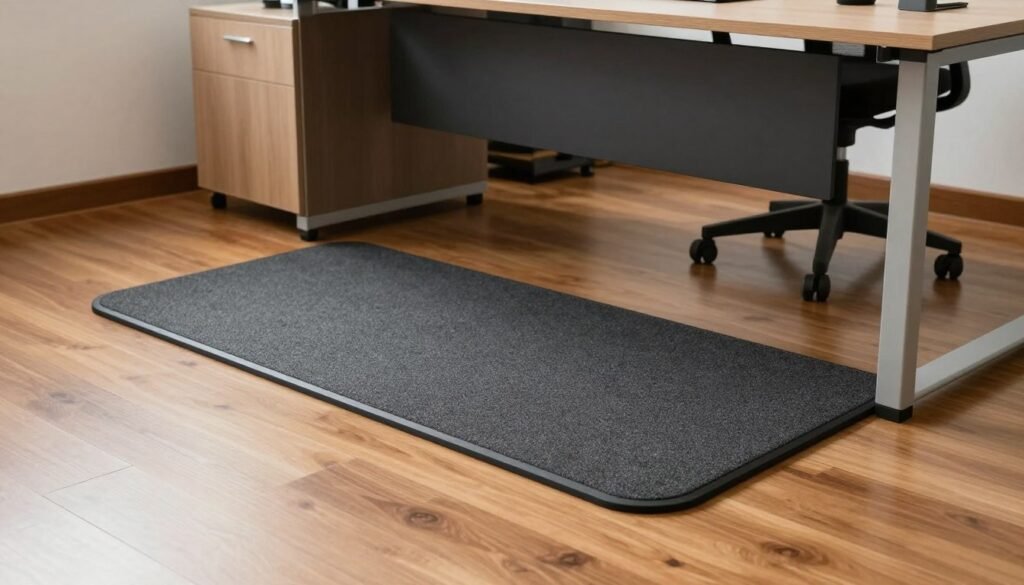
An anti-fatigue mat is a vital accessory for anyone who spends long periods standing. It provides a cushioned surface that reduces the strain on your legs and feet. Using one helps you stay comfortable on hard surfaces for much longer periods.
Footrests and Monitor Arms
Monitor arms allow you to set the perfect screen level for any standing or sitting position. Footrests improve your circulation and posture when you are using a chair at any desk. These small additions make a huge difference in how your body feels at the end of the day.
Making the Right Choice for Your Workspace
Finding the perfect workspace solution depends on your daily tasks, budget, and physical comfort. There is no universal “best” desk for everyone because every work style requires different features. You should consider your physical needs and how much space you have before buying.
When to Choose a Traditional Desk
A traditional desk remains the top choice for stability and storage. These desks work best if you handle heavy equipment or a lot of paperwork. They offer a solid surface that does not wobble during intense tasks.
Choose this option if your budget is the primary concern. You can often find high-quality sitting furniture at a lower price point. This desk is ideal for those who prefer to incorporate movement through regular walking breaks instead of adjusting their furniture.
When to Choose a Standing Desk
A standing desk is a great investment for those dealing with chronic back pain. It gives you the flexibility to change positions whenever your body feels stiff. Many standing desks also help different workers share the same space comfortably.
Using a standing desk can boost your productivity by keeping you more alert during the day. While they cost more upfront, the long-term health benefits often outweigh the initial price. They are perfect for modern workstations where movement is a priority.
Sit-Stand Desks: The Best of Both Worlds
Many people find that sit-stand desks offer the most complete solution. These sit-stand desks allow you to enjoy the stability of sitting while accessing the energy of standing. Research shows that sit-stand desks can reduce sedentary time by 60 to 120 minutes daily.
This balance helps maintain high productivity levels throughout the office day. You can customize your height settings based on how you feel or what task you are doing. It removes the pressure of choosing just one way to work.
Custom Solutions and Professional Consultations
Sometimes a standard office setup does not fit your unique room or style. Professionals at Office Gallery International provide space planning consultations to help you decide. They can design custom furniture that fits your specific dimensions and ergonomic needs.
Think about your long-term comfort before making a final purchase. Your choice will serve as your primary surface for many years to come. Professional advice ensures your new setup supports both your workflow and your health.
Conclusion
Finding the perfect workspace balance involves looking at your daily habits and health goals. Neither desk type is universally superior for every user. Traditional desks offer cost-effective stability and storage, while using standing desk models provides the flexibility to change your position throughout day.
Studies show that using standing to reduce sitting time by 60-120 minutes provides measurable health benefits. This movement approach helps manage blood sugar levels and reduces back pain. Office workers should use standing desk setups to alternate positions for several minutes to maintain high focus.
Proper ergonomic setup is vital for productivity and to avoid muscle issues. Using standing workstations correctly protects your back and blood flow over many years. Dynamic movement ensures you don’t stay in one sitting standing pose for long periods during the work week.
High-quality standing desks can last 15 years, making them a smart long-term investment. If you feel overwhelmed, Office Gallery International offers consultations to help you use your space effectively. Using standing furniture supports your health throughout day and helps you stay active for time to come.