
Welcome to our detailed guide on the endurance of modern home automation. Many homeowners ask How Long Do Robot Vacuums Last? before investing their hard-earned money. As people look to save time on daily chores, these devices have become essential household partners.
Analysts project the global market for these helpers will exceed $50 billion by 2030. Most robot vacuums typically serve a home for 4 to 6 years under normal conditions. This lifespan depends on your specific robot vacuum model and how often you use it for cleaning.
Proper care can help premium models survive even longer in busy environments. This guide explains how to maximize your vacuum through smart habits and part replacements. You will soon discover which robot vacuums offer the best lifespan in today’s market.
Our vacuum guide helps you identify warning signs that suggest your gear is failing. Whether you are a new buyer or an owner, knowing your robot is vital. A high-quality vacuum really makes a difference in your home maintenance routine.
Let’s see how to keep your cleaning robot vacuum running smoothly for several seasons. Effective maintenance involves checking the robot brushes and filters on a regular schedule. A well-kept vacuum ensures your device stays efficient and powerful.
This friendly resource helps you protect your robot investment for years to come. Gain actionable insights to ensure your robot continues to perform at its peak level.
How Long Do Robot Vacuums Last?
While they seem like futuristic gadgets, robot vacuums are hard-working appliances with a specific operational life. You likely want to know if your investment will keep your floors clean for a long time. Understanding these timelines helps you pick the best tool for your home and budget.
Average Robot Vacuum Lifespan
Most robot vacuums last between 4 to 6 years under typical residential use. This average lifespan comes from verified user feedback and manufacturer data collected from 2023 through 2025. It gives you a clear idea of what to expect from your smart device during its service life.
Lifespan Compared to Other Vacuum Types
You might be surprised by how long these vacuums last compared to traditional upright machines. A standard vacuum often handles heavy manual pushing and pulling which puts significant strain on the motor. Manufacturers build the robot vacuum for frequent, lighter cleaning sessions instead of intensive manual labor.
This specialized design helps the robot stay in good shape for a surprisingly long period. Most upright models only provide 2 to 4 years of reliable service before they require major repairs. Even high-end cordless vacuums last only about 1 to 2 years due to rapid battery degradation.
What Determines the Upper and Lower Limits
The quality of a robot vacuum heavily influences its total lifespan. Premium models use superior components and advanced navigation to avoid damaging collisions with furniture. These high-end units often work well for more than 6 years if you maintain them properly.
Budget robot vacuums might fail closer to the 3-year mark due to cheaper build materials. Your home environment also plays a huge role in how long the robot stays functional. If you have many pets, the extra hair puts more stress on the internal vacuum motor.
Regular maintenance is the secret to hitting the upper end of the average lifespan. Cleaning the sensors and replacing filters prevents the robot from overheating during a run. Investing in a quality robot vacuum ensures your robot vacuums last as long as possible while saving you hundreds of hours of labor.
| Vacuum Category | Estimated Lifespan | Typical Usage Mode |
|---|---|---|
| Robot Vacuums | 4 – 6 Years | Automated Daily Cleaning |
| Upright Vacuums | 2 – 4 Years | Manual Weekly Cleaning |
| Canister Vacuums | 2 – 3 Years | Manual Deep Cleaning |
| Cordless Stick | 1 – 2 Years | Manual Spot Cleaning |
Key Factors That Determine Robot Vacuum Lifespan
Several elements work together to decide if your smart cleaner lasts three years or closer to eight. While you cannot change the size of your home, you can control how you use the machine. Understanding these factors empowers you to make smarter buying choices and push your device toward the upper end of the lifespan spectrum.
Every home presents a unique challenge for a robot. A small, tidy apartment places very different demands on a machine compared to a sprawling house with multiple pets. By identifying the variables you can influence, you can significantly improve the long-term performance of your automated helper.
Build Quality and Component Construction
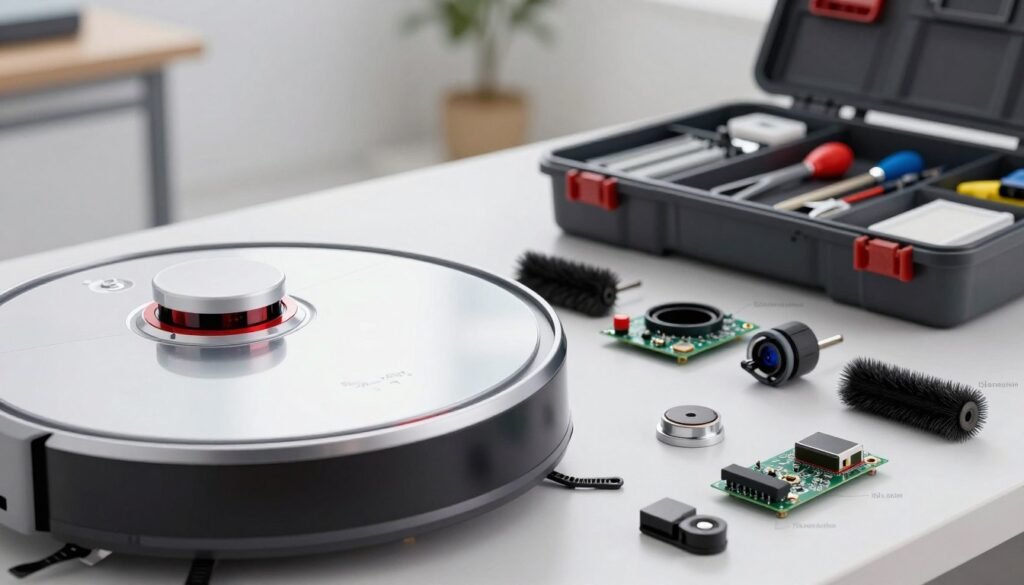
A solid build quality serves as the foundation for any long-lasting device. Premium models often feature motors without brushes, which generate less heat and friction. These high-end components withstand years of daily operation without significant wear.
Budget models frequently use weaker materials that fail much faster under pressure. Look for a robot vacuum with reinforced brush assemblies and rugged housing. A sturdy design ensures the machine survives the physical cleaning demands of a busy household.
Frequency and Intensity of Daily Use
How often you run your vacuum directly impacts its aging process. A robot cleaning a 3,000-square-foot home every morning experiences massive stress. This heavy workload accelerates the degradation of the wheels and internal motors.
Moderate use in smaller spaces typically preserves the battery and mechanical parts for longer. If you have a high-traffic home, investing in a machine with a professional-grade design is essential. Consistent overuse without breaks can lead to premature hardware failure.
Type of Flooring and Debris
Flooring types play a huge role in how hard the vacuum has to work. Transitioning between hardwood and thick, high-pile carpets repeatedly stresses the suction system. Thick rugs require more power, which can drain the battery and strain the quality parts inside.
Pet hair and heavy debris like kibble also increase the workload. Fine dust can clog filters quickly, forcing the robot vacuum to work harder to maintain performance. Regular maintenance is vital when dealing with these tough conditions.
| Factor | Longevity Booster | Lifespan Drainer |
|---|---|---|
| Flooring | Hardwood & Tile | High-Pile Carpets |
| Navigation | LiDAR & Laser | Bump-and-Turn |
| Usage | 3x Weekly | Multiple Times Daily |
Navigation Technology and Collision Prevention
Advanced navigation technology helps prevent physical damage to the machine. Systems like LiDAR or triple-laser mapping allow the robot vacuum to avoid obstacles with millimeter accuracy. This precision prevents frequent collisions that can damage sensitive sensors.
Basic “bump-and-turn” models rely on physical impact to find their way. Over time, these constant hits can loosen internal components or crack the outer shell. Choosing a model with smart sensors protects your investment from accidental wear.
Environmental Conditions and Storage
The environment where you store and run your robot matters more than most owners realize. High humidity in bathrooms can corrode electrical parts over time. Similarly, extreme temperatures in unheated garages can kill a battery’s quality quite quickly.
Dusty workshops or unfinished basements allow fine particles to infiltrate the robot vacuum. This dust acts like sandpaper on moving parts and clogs the cleaning path. Keep your machine in a climate-controlled area to ensure it reaches its full lifespan potential.
Understanding Robot Vacuum Battery Life
Think of the battery as the lifeblood of your smart cleaner, as it directly impacts how long the machine remains useful. This component provides the necessary power for every single cleaning cycle throughout the house.
Because the battery often fails before the motor or sensors, it largely determines the overall lifespan of the unit. Keeping this part healthy ensures your device performs well for years.
| Model Category | Battery Capacity | Average Runtime |
|---|---|---|
| Standard robot vacuum | 2600mAh – 3200mAh | 60 – 90 Minutes |
| Premium robot Models | 5200mAh – 6400mAh | 120 – 180 Minutes |
| Budget Entry Models | 1800mAh – 2200mAh | 40 – 60 Minutes |
How Long Do Robot Vacuum Batteries Typically Last?
Most robot vacuum units use lithium-ion technology that stays strong for one to two years. During this time, the battery can handle about 400 to 500 charging cycles before capacity drops.
High-end models, like the Narwal Flow, feature massive 6400mAh battery packs. These larger cells allow the machine to clean for over two hours on a single charge.
Factors That Affect Battery Degradation
Heat is the biggest enemy of your robot and its internal energy storage. If the vacuum works in a very hot environment, the chemical cells inside will break down much faster.
Frequent deep discharges also reduce the power capacity over the long term. Consistent maintenance and proper storage are the best ways to fight these issues.
Optimal Charging Practices for Battery Longevity
Smart charging habits can significantly extend the life of your vacuum. It is best to keep the battery between 20% and 80% whenever possible.
- Use the official charging dock to prevent voltage spikes.
- Keep the robot in a climate-controlled room away from direct sunlight.
- Clean the metal contact pins regularly to ensure a steady connection.
- Recharge the unit every six weeks if you are not using it.
When to Replace Your Robot Vacuum Battery
It is time for a new battery if the robot vacuum returns to the dock every 20 minutes. You might also notice the vacuum leaving spots unfinished because it runs out of juice.
Replacing the battery is a smart move if your robot is only a few years old. A fresh battery usually costs between $50 and $150, which is much cheaper than buying a whole new vacuum.
Step-by-Step Maintenance Guide to Extend Lifespan
Maximizing the life of your automated cleaner requires a mix of daily habits and monthly check-ups. While a robot vacuum typically lasts four to six years, regular maintenance can push that limit to seven years or more. A few minutes of effort each week prevents costly repairs and keeps your floors spotless.
Daily and Weekly Cleaning Tasks
Consistency is the secret to a long-lasting machine. When you perform small cleaning tasks frequently, you prevent dust and hair from damaging the motor. This proactive approach ensures your vacuum stays as efficient as the day you bought it.
Emptying the Dustbin After Each Use
Always empty the bin after every session. A full bin reduces suction efficiency by up to 50%, which forces the motor to work much harder. Over time, this extra strain can cause the robot to overheat or fail prematurely.
Cleaning Brushes and Rollers Weekly
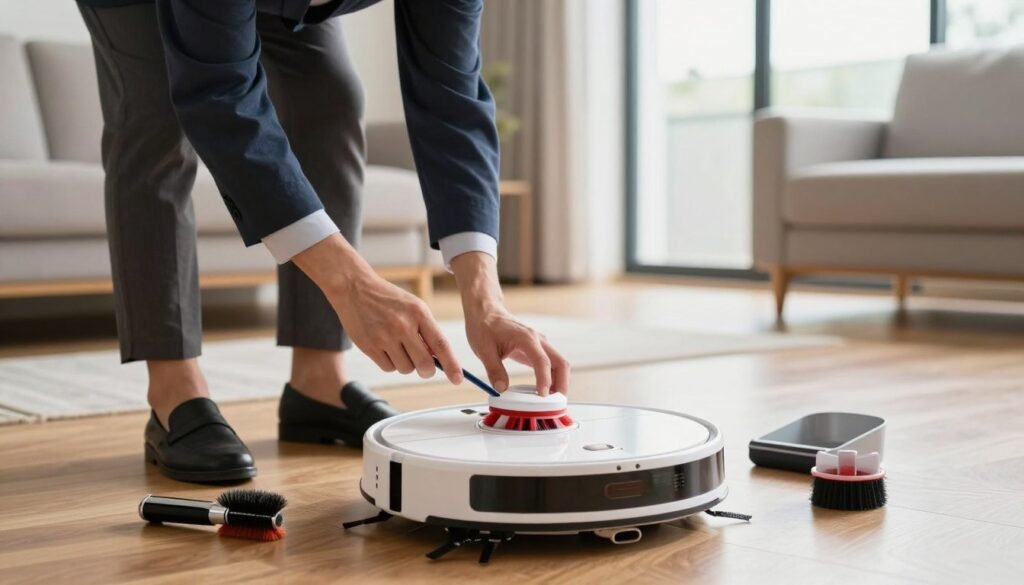
Take ten minutes each week to clear tangled hair from the main brushes and rollers. If debris builds up, it creates resistance that slows down the spinning components. Ensure the rollers can spin freely to avoid putting unnecessary stress on the internal gears of your robot vacuum.
Wiping Sensors and Charging Contacts
Dust on sensors can make your vacuum crash into furniture or struggle to find its dock. Use a soft, dry cloth to wipe these areas weekly. Keeping the charging contacts clean also ensures the battery receives a full, steady charge every night.
Monthly Maintenance Procedures
Deep maintenance allows you to catch small issues before they turn into major breakdowns. Set a reminder on your phone to inspect the internal parts of your vacuum at least once every month.
Deep Cleaning Filters and Air Pathways
Check your filters to see if they are washable or need a dry brush-off. If they are washable, rinse them under cold water and let them air-dry for a full 24 hours. Never put damp filters back inside the robot, as moisture can ruin the electronics.
Inspecting Wheels and Side Brushes
Look for hair or string wrapped around the wheel axles. If the wheels cannot move smoothly, the robot will waste battery power trying to navigate. Check the side brushes for bent bristles that might need a quick soak in warm water to regain their shape.
Checking for Hair and Debris Buildup
Remove the brush guard and look into the air intake path. Sometimes larger debris gets stuck here, which blocks dust from reaching the bin. Clearing these paths monthly keeps the airflow strong and the motor cool.
Scheduled Part Replacement Timeline
Even with great care, some parts simply wear out over time. Following a replacement schedule is the best way to maintain peak performance for your robot vacuum. Use the table below to track when to swap out your components.
| Component | Replacement Frequency | Primary Benefit |
|---|---|---|
| High-Efficiency Filters | 6 – 12 Months | Protects motor and air quality |
| Main Brushes | 6 – 12 Months | Maintains debris pickup power |
| Side Brushes | 3 – 6 Months | Ensures better edge cleaning |
| Mop Pads (Hybrid) | 1 – 2 Months | Prevents bacteria and odors |
When to Replace Filters
If you notice the vacuum is leaving dirt behind, your filters are likely clogged. Change them every 6 to 12 months, or sooner if you have pets. Fresh filters allow the machine to breathe and maintain strong suction.
Brush and Side Brush Replacement Schedule
Replace the side brushes when the bristles look frayed or start falling out. The main brushes should be swapped yearly to ensure they continue to agitate carpet fibers effectively. Genuine parts usually fit better and last longer than cheap third-party options.
Mop Pad Replacement for Hybrid Models
For a mop combo, you should wash the pads after every run. However, you need a full replacement every couple of months. Over time, the microfiber loses its ability to absorb water and scrub away tough stains.
Software Updates and Firmware Maintenance
Software updates are critical for regular maintenance but are often ignored by owners. These digital updates often fix navigation errors and improve how the robot manages its battery. Check your companion app once a month to see if a new version is available for your robot vacuum.
Enabling automatic updates helps your vacuum run the latest cleaning algorithms. This prevents the machine from repeatedly bumping into walls, which reduces physical wear on the bumper. Keeping the software current is one of the easiest ways to protect your robot for the long term.
Robot Vacuum Lifespan by Popular Brands
Market data from 2023 to 2025 shows a clear divide in how long popular automated cleaners remain operational. While the industry average for a smart cleaner is four to six years, specific brands vary based on their engineering. Choosing a brand is not just about features; it is about how many years of service you can expect.
Different manufacturers follow unique philosophies regarding component quality. Premium models often use stronger motors and better protection for internal electronics. These choices directly impact the lifespan of your home cleaning companion.
Narwal Robot Vacuums: 6-7 Years
Narwal currently leads the market with an impressive 6-7 year average. Their longevity comes from innovative self-cleaning systems that reduce the manual maintenance burden. These models use premium components designed to withstand daily wear without failing early.
The thoughtful design protects critical sensors and gears from dust ingress. By keeping the vacuum clean automatically, the brand ensures the hardware stays in peak condition. This engineering focus helps the unit last years longer than many cheaper alternatives.
Roomba (iRobot): 5-6 Years
iRobot has a well-established reputation for building robot vacuums that last 5-6 years. They utilize decades of robotics expertise to craft incredibly durable motors. Their extensive after-sales support network makes it easy to find genuine replacement parts when needed.
Owners can often extend the life of their robot through simple home repairs. The availability of batteries and brushes means you won’t have to toss the whole unit. This makes Roomba a reliable lifespan robot choice for long-term ownership.
Roborock: 4-6 Years
Roborock models typically provide a solid 4-6 year service life. Their strength lies in smart mapping technology and highly efficient navigation algorithms. Efficient movement reduces unnecessary collisions, which protects the outer shell and internal sensors of the robot vacuum.
While the hardware is sturdy, replacement parts for a Roborock can cost more than some competitors. The high-tech nature of this vacuum requires careful handling to reach the upper limit of its life. Consistent software updates also help keep the navigation running smoothly over time.
Shark Robot Vacuums: 3-5 Years
Shark offers a budget-friendly robot vacuum that typically lasts 3-5 years. These units provide an accessible entry point for those new to automated cleaning. While they may not last years as long as premium brands, they offer straightforward maintenance.
The lower initial investment makes them a practical choice for smaller homes or apartments. You get essential cleaning features without the high upfront cost of elite models. They are perfect for users who prefer to upgrade their robot more frequently.
Brand Comparison Overview
When choosing a lifespan robot, consider the relationship between upfront cost and total value. A $900 Narwal lasting 6.5 years costs approximately $138 per year. In contrast, a $300 Shark lasting 4 years costs about $75 per year.
| Brand Name | Expected Life | Initial Cost | Yearly Value |
|---|---|---|---|
| Narwal | 6-7 Years | High | Excellent |
| Roomba | 5-6 Years | Medium-High | Great |
| Roborock | 4-6 Years | Medium-High | Good |
| Shark | 3-5 Years | Low | Budget |
Your specific home environment also dictates which robot vacuums perform best over time. Pet owners or those with large homes benefit more from investing in premium, longer-lasting robot hardware. Smaller spaces with minimal debris are often perfectly adequate for budget-friendly options.
Warning Signs Your Robot Vacuum Is Nearing the End
Identifying the red flags of a robot’s decline is like using a diagnostic tool for your home maintenance. These signs help you determine if your device needs a simple fix or a complete replacement. Recognizing issues early prevents the frustration of a half-cleaned home.
Every robot vacuum will eventually show its age through its daily routine. By paying attention to how your robot behaves, you can spot fundamental component failures. This proactive approach helps you time your next purchase strategically before the device fails completely.
Shortened Battery Life and Frequent Recharging
One of the most obvious indicators is a significant drop in battery runtime. If your device struggles to hold a charge for more than 30 minutes, it is reaching its limit. You might notice the vacuum returning to its dock multiple times during a single session.
Internal charging components often degrade over time. Even if you install a new battery, the machine may still fail to finish previously easy floor areas. This suggests that the internal power management system is no longer efficient.
Reduced Suction Power Despite Maintenance
Reduced suction is a common aging indicator that affects overall performance. You can test this by checking if the robot vacuum leaves behind pet hair or debris. If the floor stays dirty after a full cycle, the motor may be losing its strength.
When reduced suction persists after you clean the filters and brushes, the problem is internal. This often suggests a loss of efficiency in the motors. At this stage, the suction power simply isn’t enough to maintain a clean home.
Navigation Failures and Mapping Errors
Degraded navigation systems often cause the robot to spin in circles or get stuck in wide-open spaces. You may see frequent error messages that a simple reset cannot resolve. These issues often stem from sensors that have become fatigued over years of use.
A failing vacuum might also stop recognizing rooms it has cleaned for years. When the mapping modules degrade, the navigation becomes erratic and unreliable. This failure makes the automated cleaning process more of a chore than a help.
Unusual Noises, Overheating, or Burning Smells
Listen closely for grinding, clicking, or whistling sounds during operation. Grinding usually points to worn motors or gearbox bearings that are about to fail. Whistling might suggest deep airflow blockages that put extra stress on the system.
Overheating after a normal session is a major red flag for any electronic device. If you detect a burning smell, shut down the robot vacuum immediately. This is a safety hazard and a clear sign that the internal hardware is damaged.
Inconsistent Cleaning Coverage and Missed Spots
Poor cleaning performance shows up when the vacuum misses entire sections of the floor. It might repeatedly clean the same spot while ignoring others completely. This happens when the internal logic and sensors can no longer track the path correctly.
The device may report that the cleaning is complete even when visible dirt remains. These random pathing errors suggest that the software and hardware are no longer in sync. This inconsistency is a strong signal that the end is near.
Physical Damage and Component Wear
Check the outer shell for cracks that could affect the structural integrity of the robot. Heavy wear on the wheel treads can also cause mobility problems on carpets or thresholds. Loose bumpers are another issue, as they compromise how the device detects obstacles.
Damaged charging contacts can prevent the unit from docking and charging properly. While some wear is expected, multiple physical issues combined with poor software performance usually mean it’s time to move on. Replacing parts becomes expensive when the entire machine is failing.
| Warning Sign | Potential Cause | Recommended Action |
|---|---|---|
| Runtime under 30 mins | Battery or circuit decay | Replace battery or unit |
| Random spinning | Sensor fatigue | Clean sensors or replace |
| Grinding noises | Motor bearing wear | Professional repair or upgrade |
| Persistent dirt | Motor efficiency loss | Consider a new vacuum |
Premium Robot Vacuums Built for Longevity
Durable components and smart self-care features allow certain top-tier models to outlast the industry average. Buying high-end machines is a long-term investment that focuses on durability over small initial savings. These advanced tools offer a better lifespan robot fans will truly appreciate.
Narwal Freo Z Ultra
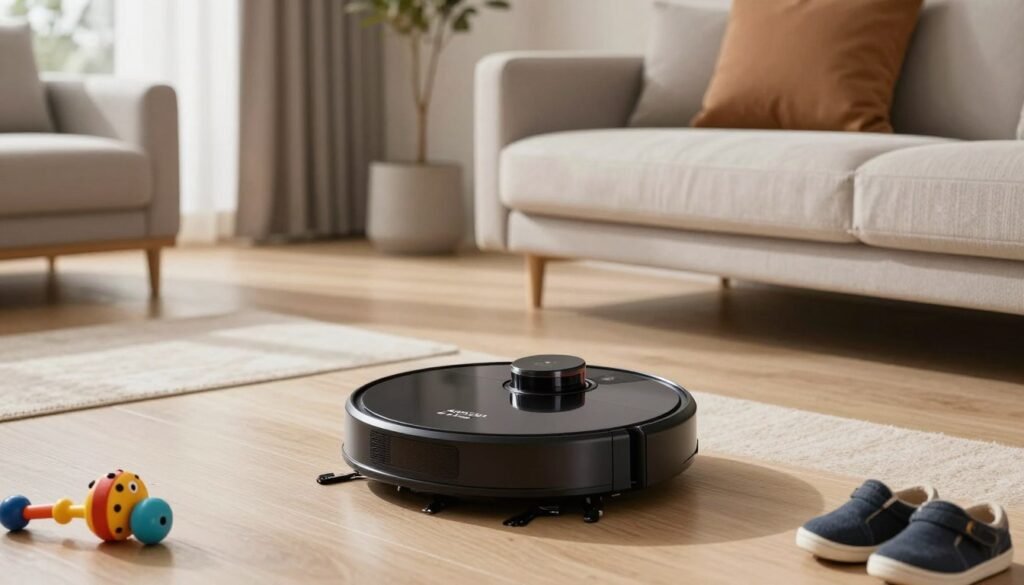
The Narwal Freo Z Ultra is a top-tier robot vacuum mop made to last. It uses two cameras to see over 120 different objects. This advanced technology stops the hits and bumps that break sensors and internal parts. Smart navigation keeps the robot safe while it works.
The DirtSense™ technology is a great feature for motor health. It adjusts suction and mopping in real time based on the floor’s needs. This prevents the device from running at maximum power all the time. Constant max-power use is a major cause of failure in some models.
Additionally, the all-in-one base offers excellent care for the entire system. It washes and dries the pads automatically after every session. This handles the routine cleaning that owners often skip. By doing this, the robot vacuum is less likely to break down over time.
Narwal Flow
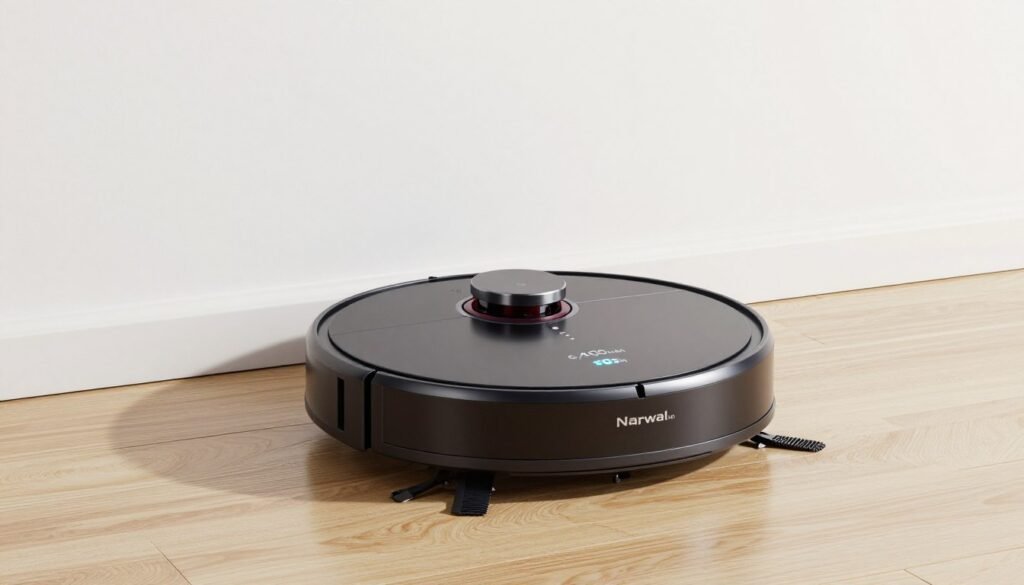
The Narwal Flow is a strong robot vacuum and mop for busy homes. It offers 22,000Pa suction that stays effective for a long time. This ensures the vacuum cleans well even as the years pass. The FlowWash system and tangle-free wheels reduce stress on the parts.
AI navigation allows for smooth movement around the house. This lowers the mechanical strain on the drive motors. A key feature for long robot vacuums is the 6,400mAh battery. It offers the longest run time in its class.
Because it cleans more on one charge, it uses fewer charge cycles. Fewer cycles result in slower battery degradation. Choosing long robot vacuums ensures your cleaning stays consistent. These long robot vacuums provide the best care for your floors. Investing in long robot vacuums is a smart move for a reliable robot. This vacuum makes cleaning easier while the robot uses high suction to keep a vacuum working like new.
Conclusion
Most robot vacuums typically last between four and six years under normal conditions. This lifespan depends on build quality and how you handle daily care. Premium robot vacuums from top brands often survive for seven years, providing excellent value for a long robot life. Investing in these robot vacuums ensures a clean home for years.
Consistent maintenance is the best way to protect your robot vacuum. Cleaning the wheels, dust sensors, and brushes every week can extend its life by two years. While some items wear faster, core motors and components are built to last. The robot requires regular attention to perform well.
Modern software and firmware updates help reduce physical wear on your model. Watch for suction power loss to catch replacement needs early. A smart design for pet hair prevents strain on the robot vacuum. This robot will serve you best when you stay proactive.
Maximize performance with software updates and proper charging. Routine maintenance ensures a long robot cleaning time. Keep wheels free of dust and hair to help motors last. Now you know how vacuums last for a long robot service time.
Your robot vacuum is a reliable vacuum. Check your model firmware updates because some parts wear faster than others. A well-kept vacuum supports your life. Every quality vacuum needs care. This robot vacuum lifespan plan keeps your home spotless for years. Every robot needs a good vacuum to thrive.