
Finding a quality seat for your workspace shouldn’t break the bank. We tested several affordable models to find the best office chair under $300 that truly supports your posture.
Our team focused on real-world use to ensure these picks provide lasting comfort and durability. We want to help you skip the marketing hype and inflated ratings often found on online marketplaces.
This guide highlights top-rated chairs that offer incredible value without a premium price. These chairs stack up well against expensive competitors that often fail to deliver despite their high costs.
Whether you need a sturdy seat for long shifts or a simple budget solution, we have a recommendation. We selected each item based on build quality and how it fits different body types and sitting habits.
By the end, you will know exactly which unit to buy for your home setup without overspending. Let’s find a reliable seat that keeps your back healthy and your savings intact.
Why Investing in a Quality Office Chair Under $300 Matters
Your office chair is more than just a place to sit; it is the foundation of your daily health. When you spend eight or more long hours at a desk, your body feels every bit of that pressure. A high-quality chair ensures that your spine remains in a natural position throughout the day.
Recent studies show that sitting for too long increases the risk of stroke and heart disease. A cheap office chair might save you some cash today, but it often leads to chronic back pain later. These budget models typically use low-density foam that loses its shape in just a few months.
Investing in a better office chair means you are prioritizing your productivity and physical well-being. Most inexpensive seats fail within two years because of stamped steel parts and plastic bases. A durable model provides the essential support your lower back needs to stay pain-free.
If you calculate the total cost over several hours of daily use, the math favors quality. A $150 model that breaks after 18 months costs you about $100 per year. Meanwhile, a $300 chair that lasts a decade costs only $30 annually while protecting you from back pain.
Finding comfort doesn’t mean you have to spend thousands of dollars on premium designer furniture. Today, many options under $300 offer ergonomic features once found only in expensive models. Proper support reduces pressure on your spine and helps you maintain great posture without any extra effort.
You deserve a workspace that helps you thrive during those long hours of deep work. Reliable support and adjustable features allow you to focus on your tasks instead of your aching joints. Choosing a better chair is one of the smartest upgrades you can make for your home office.
Dealing with back pain can ruin your focus and lead to expensive visits to the doctor or chiropractor. Real comfort comes from a well-built chair designed to handle the rigors of a full work week. Let’s look at how these two categories compare in terms of value and construction.
Your body deserves a chair that can withstand the demands of repetitive hours of labor. Strong materials and thoughtful design prevent the “sinking” feeling common in lower-end alternatives. The table below highlights why the mid-range price point is the “sweet spot” for most professionals.
| Feature | Budget Chairs (<$150) | Quality Chairs ($200-$300) |
|---|---|---|
| Expected Lifespan | 18 to 24 months | 10 to 15 years |
| Base Material | Thin plastic or nylon | Reinforced steel or aluminum |
| Seat Cushioning | Low-density foam (flattens) | High-density or memory foam |
| Annual Cost | $75 – $100 per year | $20 – $30 per year |
| Health Impact | Minimal lumbar protection | Advanced ergonomic alignment |
How We Tested These Office Chairs
To give you the most honest advice, we personally test every chair for weeks before making any recommendations. We live with these office chairs for at least two weeks, though we often stretch that to a full month. This hands-on testing period allows us to see how materials hold up during a standard workday.
Our team evaluates each chair using different body types to ensure a good fit for everyone. A 6’4″ tester and a 5’1″ individual both provide feedback on the size range and support. Handling each chair this way helps us check the build quality for rattles or loose parts that appear after heavy use.
Our experts spent many hours checking ergonomic features like lumbar support and seat depth. We meticulously test all adjustments to ensure they work smoothly for every user. If a knob feels cheap or a lever sticks, we always note it in our final evaluation.
- We check for breathability so you stay cool during the day.
- Our team researches company warranty records and service quality.
- We verify that seat foam stays firm and supportive over time.
| Criteria | Testing Detail | User Benefit |
|---|---|---|
| Size Range | 5’1″ to 6’4″ Testers | Fits most body types |
| Durability | One Month Trials | Long-term reliability |
| Experience | 200+ chairs | Industry expertise |
We also research company warranties and customer service quality to protect your investment. As an independent dealer, we provide honest reviews of office chairs without taking money for editorial coverage. Our testing process ensures that every recommendation is based on real-world performance.
We want you to feel total comfort when working at your desk. Since 2018, we have personally tried over 200 chairs to find the best values for your money. You can trust our experience when picking the right chair for your home or office.
Quick Comparison: Top Office Chairs Under $300
Finding the right chair is easier when you compare models side-by-side. Picking the best office setup means looking at more than just the price tag on the box. We want to help you feel sure about your new seat.
We grouped these chairs by price and key specs to help you narrow down your many options. You will see big differences in build quality even within this specific sub-$300 range. Some chairs use breathable mesh while others focus on thick padding for extra comfort.
Some office chairs at $159 offer incredible value and feel like premium furniture. On the other hand, some models at $299 feel like they cost way too much for a budget model. It really depends on how the parts work together to support your back.
We look for rare features like seat depth sliders or arms that move in four different ways. For example, the Colamy Ergonomic at $279 competes with chairs up to $500 in adjustability. This chair list works well for professional work or long gaming sessions. Every chair listed here offers something unique for your posture.
Check this list to find your top two or three picks before reading the full reviews below. This fast guide shows which office chairs are truly worth your hard-earned cash. We believe these chairs are the most reliable options currently available on the market. Every chair we picked is built to last for your daily needs.
| Model | Price | Unique Highlight | Best Use Case | Return Policy |
|---|---|---|---|---|
| Colamy Kirin | $159.99 | Breathable Mesh | Daily Home Office | 30 Days |
| Yonisee Office | $149.99 | Flip-up Armrests | Small Workspaces | 30 Days |
| BV Dual Backrest | $229.99 | Split Back Design | Active Posture | 30 Days |
| Colamy Ergonomic | $279.99 | Seat Depth Slider | Professional Use | 30 Days |
| Tempur-Lumbar | $299.20 | Memory Foam Seat | Cushioned Comfort | 30 Days |
Best office chair under $300: Our Top Picks
We spent hours testing different models to find the best office chair for under $300. Our tests helped us identify five great chairs that offer high quality at a low price. You can find a great chair whether you need soft seats or total adjustability.
The Colamy brand has emerged as a major leader for any best office setup. Their flagship office chair, the Colamy Ergonomic, is the new king at just $279.99. It easily competes with chairs that cost much more.
The Colamy Kirin is the best value chair at only $159.99. These picks represent the strongest options for your home or work. Finding the Best office chair under $300 means you never have to compromise on your comfort.
Each chair we selected offers genuine support and durability. This best office chair list will help you work better every day. A quality office chair is now more affordable than ever.
| Model | Best For | Approx. Price |
|---|---|---|
| Colamy Ergonomic | Best Overall | $279.99 |
| Colamy Kirin | Best Value | $159.99 |
| Tempur-Lumbar | Memory Foam Lovers | $289.00 |
| Hon Altern | Budget Friendly | $189.00 |
Colamy Ergonomic Chair – Best Overall Under $300
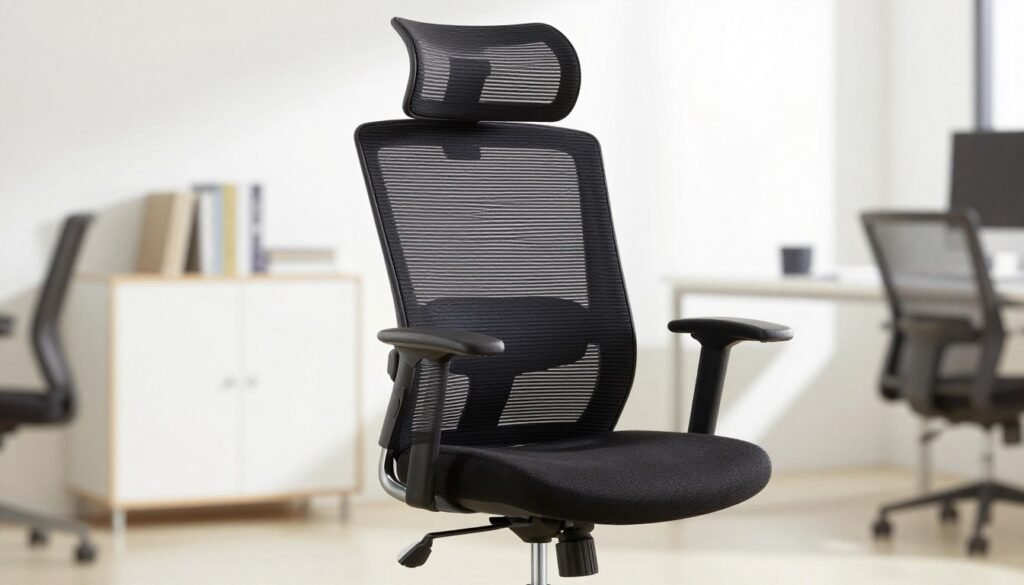
The search for the perfect mid-range workspace throne ends with the Colamy Ergonomic Chair. At a price of $279.99 on Amazon, this model is the undisputed leader in its category. It manages to offer premium features that you usually only see in much more expensive furniture.
Most budget options feel like they might fall apart after a year of heavy use. This chair is different because it feels incredibly solid from the moment you sit down. It has earned its title as the “new king under $300” by outperforming its rivals in every test.
Our team was genuinely surprised by how well this office chair holds up against models that cost twice as much. It balances aesthetics, durability, and health-focused design perfectly. If you want a professional setup without spending a fortune, this is your best bet.
Overview
The Colamy Ergonomic chair is hands-down the best overall option you can find right now. It isn’t just about the low cost; it is about the build quality. This ergonomic chair feels like it belongs in an executive suite rather than a home cubicle.
The construction uses heavy-duty materials that give the frame a very stable feel. You won’t hear the annoying squeaks or rattles that plague other cheap models. The adjustment levers are sleek and provide a satisfying click when they lock into place.
This tactile feedback makes the chair feel like a high-end tool. It offers premium customization that we rarely see at this price point. It truly competes with luxury brands in terms of daily reliability and user experience.
Pros and Cons
Pros:
- Outstanding build quality that rivals $500 models.
- The mesh back is breathable and maintains its shape over time.
- Includes a highly functional seat depth slider.
- The headrest is surprisingly comfortable and easy to move.
Cons:
- The armrests are positioned slightly further forward than some might prefer.
- While the seat is comfortable, it is not the softest foam available.
Key Features and Adjustments
This model stands out because it includes every adjustment you need to stay healthy during long shifts. You can fine-tune almost every part of the frame to fit your body perfectly. These adjustments are easy to make while you are still sitting down.
Seat Depth Adjustment
The seat depth slider is one of our favorite features. It allows you to move the seat forward or backward to match your leg length. This specific depth adjustment rivals the mechanism on the famous Steelcase Gesture.
Having this level of control ensures your lower body stays supported. It prevents the chair from cutting off circulation behind your knees. It is a vital feature for both very tall and very short users.
Backrest and Lumbar Support
The backrest design features a beautiful curve that follows your spine. It uses a high-quality mesh material that provides firm support while staying cool. You won’t deal with a sweaty back during a long afternoon of meetings.
The adjustable lumbar piece is also excellent. You can position the lumbar support exactly where you need it most. This helps maintain the natural curve of your lower back and prevents slouching.
Armrests and Headrest
The headrest is genuinely impressive for a budget-friendly option. It is easy to position and provides real comfort for your neck during recline. Most budget headrests feel like an afterthought, but this one is part of the integrated design.
You also get 4-way adjustable armrests to help relax your shoulders. They provide solid support for your elbows while typing or gaming. Though they sit a bit forward, they are sturdy and do not wiggle.
Who Should Buy This Chair
This office chair is the ideal choice for anyone who spends eight or more hours at a desk. It offers the structural support needed to prevent long-term fatigue. Professional remote workers will find it to be a smart investment in their health.
If you value a seat that feels firm and professional, you will love the Colamy. It is built for people who want the best value for their price. You won’t find a more complete package for less than $300 on the market today.
While the seat depth and other features are top-notch, it is the overall durability that wins us over. It is a reliable chair that looks great in any modern office. If you want the best of the best without breaking the bank, this is the one.
Colamy Kirin Chair – Best Value Pick
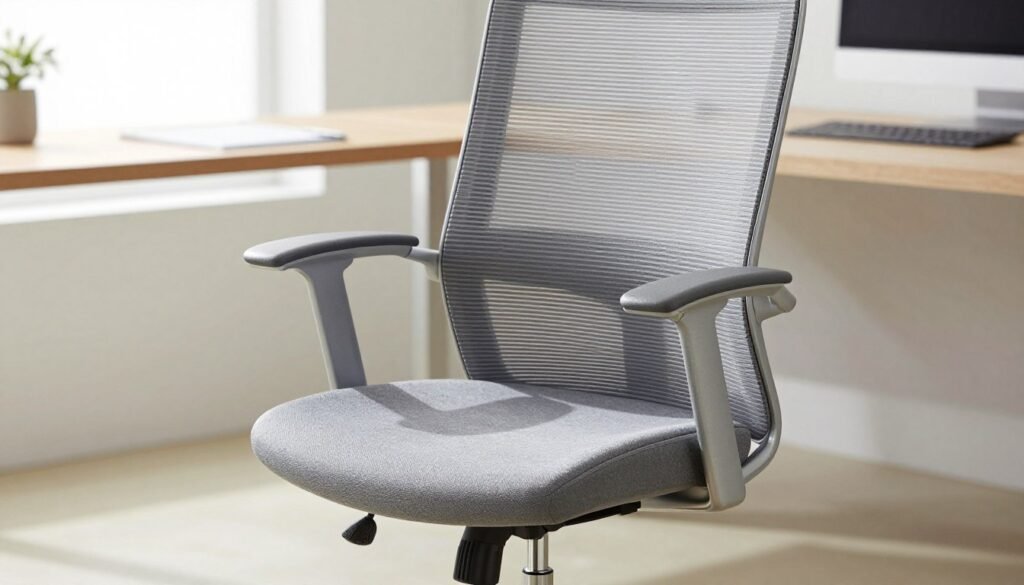
The Colamy Kirin Chair changes the game for shoppers who need high-end features on a restricted budget. It is rare to find a chair that looks this good while maintaining a price tag under $160.
This model manages to bridge the gap between affordable furniture and premium ergonomic performance. It stands out as a top-tier choice for those who want a professional look without the designer cost.
Overview
At just $159.99 on Amazon, the Colamy Kirin is the best value office chair we have tested recently. It offers a shockingly premium feel that most people would expect to cost twice as much.
The overall build is surprisingly sturdy for this category. Its modern look and clean lines often remind reviewers of much more expensive models like the Hag Sofi or the Herman Miller Lino.
While it remains the most affordable option on our list, it does not feel cheap or flimsy. It provides a solid sitting experience that makes it a strong contender for the top budget pick overall.
Pros and Cons
There is a lot to love about this chair, but it is important to look at the trade-offs. Here is a quick breakdown of what to expect:
- Pros: Incredible price point, includes a rare seat depth slider, and features a very modern design.
- Pros: The seat foam is dense enough to prevent bottoming out during long workdays.
- Cons: There is no headrest available, and the arm pads are a bit firmer than we would like.
- Cons: The recline is decent but does not go as deep as some high-end ergonomic models.
Key Features and Build Quality
The Colamy Kirin punches way above its weight class when it comes to functionality. It includes several adjustments that are typically reserved for chairs in the $300 to $500 range.
Seat Slider at Budget Price
One of the most impressive features is the seat slider. This allows you to adjust the seat depth to fit your leg length perfectly.
Finding this mechanism at such a low price is almost unheard of in the current market. It ensures that both shorter and taller users can find a comfortable position that supports their thighs correctly.
Modern Design Elements
The design of the Kirin is sleek and fits perfectly in a contemporary home office chair setup. It uses high-quality materials that look elegant and professional.
The backrest provides a nearly fully upright position, which is great for task-heavy work. This helps maintain focus while still allowing for a relaxing recline when you need a break.
4-Way Adjustable Arms
The 4-way adjustable armrests give you plenty of options for height, width, and angle. This level of customization helps reduce strain on your shoulders and neck during long typing sessions.
While the pads could be softer, the sheer amount of movement they offer is impressive. You can easily align them with your desk surface to create a truly ergonomic workspace.
Who Should Buy This Chair
If you are working with a tight budget but refuse to settle for a chair that will hurt your back, the Kirin is your best bet. It is perfect for students or remote workers who need a reliable seat without a massive investment.
Because there is no headrest, it is best for people who prefer an active, upright sitting posture. The thick foam and sturdy base make it a strong contender for anyone who values longevity and style at a fair price.
BV Dual Backrest Chair – Best for Freedom of Movement
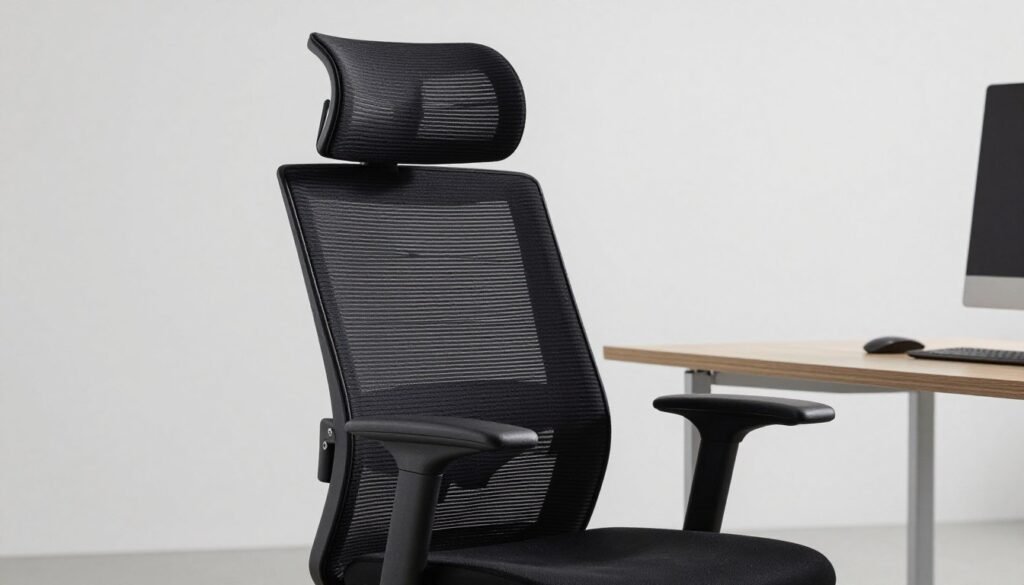
Finding a chair that prioritizes flexibility over rigid structure is rare under $300, but the BV Dual Backrest does exactly that. This unique seating solution challenges traditional ergonomics with a split-panel approach that moves with your body.
It is an ideal choice for people who dislike feeling locked into a single position. The dynamic nature of the frame ensures you stay active even while finishing a long report.
Overview
The BV Dual Backrest chair is currently available for a price of $229.99 on Amazon. It serves as a much more affordable option for those interested in the high-end DuoRest design concept.
Instead of a single piece of mesh or foam, the split backrest moves with you as you lean or twist. This provides active support that adapts to your body’s micro-movements throughout the busy workday.
The headrest is surprisingly premium for this category, offering more padding than most competitors. You can easily find a comfortable height adjustment to keep your neck strain-free during long sessions at your desk.
While it is a budget version of a more expensive brand, the build quality remains respectable for the cost. It feels sturdy enough to handle daily use without excessive wobbling or noise.
Pros and Cons
One major benefit is the excellent neck protection and the incredible flexibility of the back panels. We also appreciate the budget-friendly entry into “active sitting” technology for home offices.
On the downside, the armrests feel quite stiff and lack the smooth motion found on pricier models. The arm caps are firm, which might cause some discomfort during extended periods of leaning.
The seat is also notably firm, which might not suit every user. Some people may find that the lack of a locked, rigid frame feels a bit distracting at first.
Key Features and Unique Design
This chair stands out because it does not try to force your spine into one “perfect” posture. Instead, it encourages natural movement while you work on your computer.
Dual Backrest System
The split backrest system is the heart of this innovative design. Each panel moves independently to hug your back, reducing pressure on the spinal column. It creates a sense of freedom that traditional ergonomic models often lack.
Headrest Quality
The headrest on this model is genuinely impressive compared to others in this price bracket. It features thick padding and multiple adjustments to ensure it hits your neck at the perfect spot. It is easily the best-performing headrest we tested for under $300.
Seat Firmness
The seat cushion is made of high-density foam and leans toward the harder side. While this helps the seat maintain its shape over years of use, it lacks a “cloud-like” feel. Users who prefer a soft surface should keep this firmness in mind.
Who Should Buy This Chair
This chair is a niche purchase for people who feel trapped by standard ergonomic designs. If you like to move, stretch, and twist while sitting, the active support here will feel great.
It provides a unique fit for those who prioritize spinal mobility over deep, plush cushioning. If you are a fan of the split-back concept but have a tighter budget, this chair is a smart alternative.
Ultimately, this chair is built for the active office worker. It is an excellent chair if you want to stay engaged and mobile while resting your backrest against a dynamic frame.
The firm seat and flexible panels make it a specialized tool for productivity. It is best suited for those who treat sitting as an active task rather than a passive one.
Tempur-Lumbar Support Office Chair – Best for Memory Foam Fans
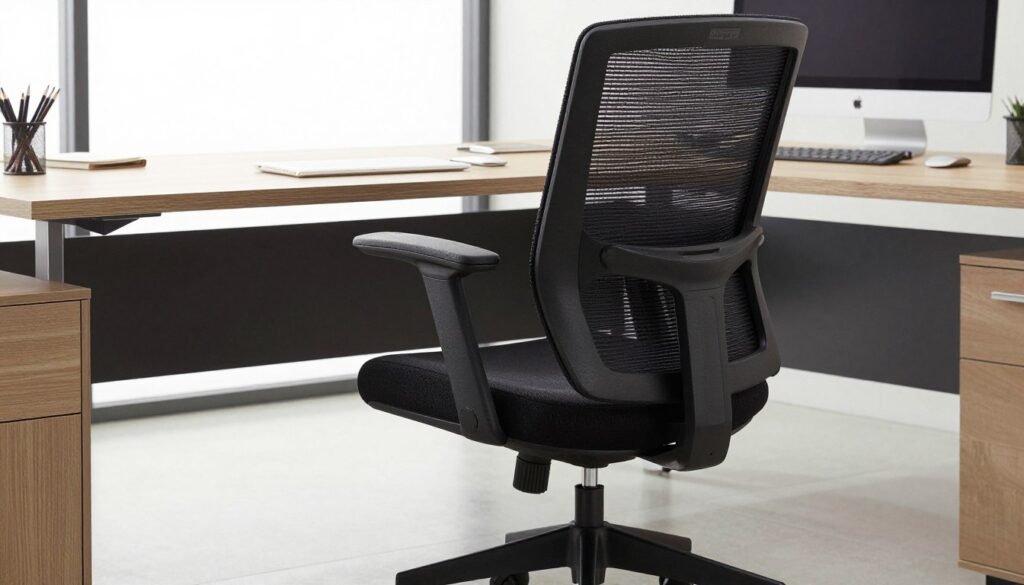
For those who swear by the feel of high-end bedding materials, this Tempur-Pedic office chair offers a familiar sense of relief. It brings that famous body-contouring sensation to your workspace, specifically targeting the memory foam enthusiasts. If you enjoy a chair that adapts to your shape, the specialized lumbar cushioning here aims to provide a soft, personalized fit for your lower back.
Overview
The Tempur-Lumbar Support Office Chair currently sits at a price of $299.20 on Amazon. This model relies heavily on its famous brand name to attract customers who already trust their sleep technology. When you first sit down, the seat provides a plush, luxurious feel that many find immediately inviting.
However, this initial luxury does come with some significant trade-offs for a workspace chair. We noticed that the high-density foam tends to trap body heat, which might make long afternoons feel a bit stuffy. The overall design also feels a bit behind the times compared to sleeker modern alternatives.
Furthermore, the mesh backrest quality feels lower-end than what you find on competitors. You also get very few adjustments, which is surprising for a product at this cost. Beyond a basic recline and height change, the support options remain fairly static.
Pros and Cons
The standout feature is definitely the armrests, which are the softest we have ever tested. They provide a cloud-like experience for your elbows that few other models can match. The memory foam in the base also creates a unique contouring effect that relieves pressure points quickly.
On the downside, the plastic frame on the backrest can feel quite stiff and intrusive. The lumbar pad helps, but it cannot fully mask the rigid design of the frame. Additionally, the mesh fabric lacks the tension and durability found in higher-tier ergonomic models.
Key Features and Comfort
When discussing comfort, it is all about the materials used in the contact points. This chair prioritizes a soft touch over technical mechanical precision. While it lacks complex levers, it focuses on the immediate tactile experience of sitting.
Memory Foam Seat
The seat is the heart of this model, featuring genuine Tempur material that reacts to your body weight. This foam provides deep cushioning that prevents you from feeling the hard base underneath. Just be aware that it creates a “sinking” feeling that some users might find difficult to move around in.
Lumbar Pad Design
The lumbar support consists of a specialized pad that nests against the mesh. While it provides a soft buffer, the underlying support structure is mostly hard plastic. It does a decent job for short durations, but may lack the flexibility needed for an eight-hour shift.
Arm Pad Softness
If you suffer from elbow pain, these arm pads are a genuine game-changer. They are incredibly plush and thick, offering a level of comfort that is rare in the sub-$300 category. They truly represent the best part of the entire build.
Who Should Buy This Chair
We recommend this seat primarily for die-hard fans of the specific Tempur-Pedic feel. If you already own their mattress and love the material, you will likely appreciate this chair. It serves well for light office work where you do not need to adjust your position constantly.
However, for most shoppers, the value here is relatively weak compared to modern ergonomic brands. You can find better durability and more features in models like the Colamy Ergonomic for less money. This is a niche pick for those who value plush padding over total body alignment.
Hon Altern Chair – Budget-Friendly Alternative
While it sits just slightly over the $300 mark, the Hon Altern serves as a high-quality alternative to generic budget finds. This chair provides a stable and reliable experience for anyone working from home.
Overview
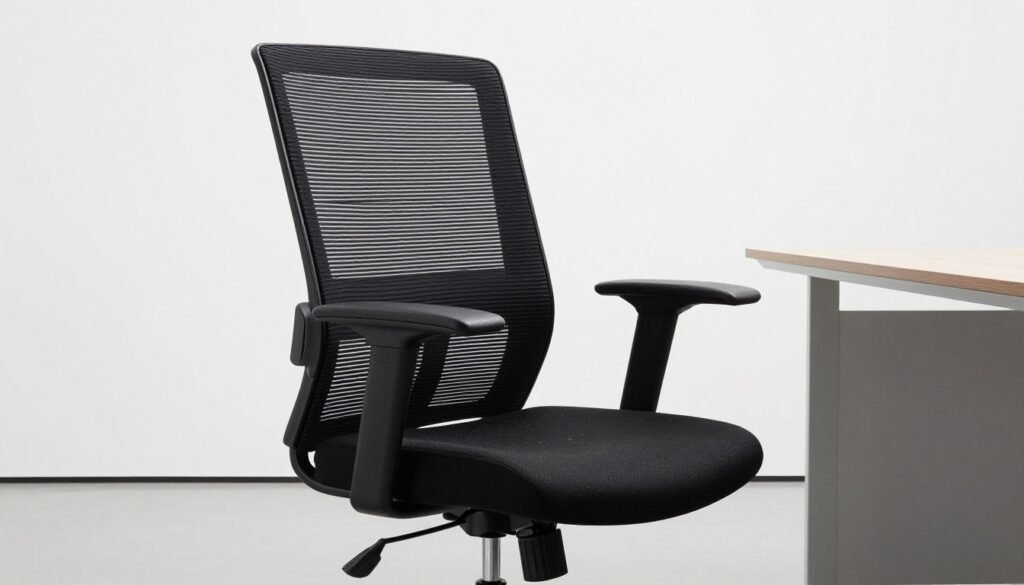
We spent a full month testing this model to see if it stands up to daily use. At a price of $305, it is a very strong contender in the current market. This office chair feels much more substantial than the mystery brands you often see on large retail sites. It features a generic design that fits into any professional environment without looking flashy.
During our testing, we found that it simply “does the job” without any fuss. The build quality is consistent, and the assembly process is straightforward. It feels like a piece of furniture meant to last longer than a single year. If your budget is firm, this model offers a safe path forward.
The Hon Altern avoids the flimsy feel of cheaper competitors. It offers a balanced mix of metal and heavy-duty plastic parts. We noticed the seat remains plush even after eight hours of constant sitting. It is a dependable workhorse for a standard home office setup.
Pros and Cons
The Hon Altern has several standout benefits. It includes an adjustable headrest as a standard feature, which many other brands sell separately. You will also enjoy the generous width of the sitting area. However, the armrests only move up and down, which limits your options for narrow desks.
Another drawback involves the posture settings. The back support is somewhat lackluster because it encourages a slight recline. If you prefer to sit perfectly upright while typing, you might find yourself leaning away from the mesh. Despite this, the materials feel premium for the cost.
Key Features
This chair focuses on providing a solid foundation rather than high-tech gimmicks. The main controls are easy to reach and operate with one hand. You can quickly adjust the height or lock the tilt function to suit your preference. The mesh stays cool throughout the day, preventing that common sweaty feeling.
Seat Width and Comfort
The standout feature is definitely the wide, soft seat. It offers genuine comfort that keeps your lower body happy during long meetings. The padding is thick enough to prevent you from feeling the frame underneath. It easily accommodates different body shapes without feeling restrictive or tight.
Seat Depth Adjustment
Having a seat depth slider is a luxury at this cost. You can change the depth to match the length of your legs perfectly. This ensures your back stays against the lumbar area while your knees remain properly supported. Most budget models skip this feature entirely to save money.
Who Should Buy This Chair
This is the perfect chair for someone who wants a brand-name feel without the premium cost. If you need a reliable seat but cannot afford our top picks, this is a great choice. It provides enough support for casual or professional use throughout the work week.
Large or tall users will especially appreciate the adjustable dimensions and wide frame. It is a safe and smart purchase for those who value longevity over style. If you want a chair that simply works, the Hon Altern is for you.
Office Chairs to Avoid Under $300
While we love finding a bargain, it is important to know which office chairs to avoid when shopping on a budget. Not every low-cost option provides the support or durability you need for a long workday. Sometimes, saving a few dollars now leads to a lot of frustration and physical discomfort later.
Yonisee Review – Why We Don’t Recommend It
The Yonisee model is a perfect example of a budget purchase that misses the mark. Priced at $149.99 on Amazon, this office chair fails to deliver on basic comfort or stability. From the moment you finish assembly, the whole structure feels unstable and rattles with even minor movements.
The seat is uncomfortably firm, and the dimensions just feel awkward for the average person. It reminds us of the problematic Sihoo chairs, where the proportions simply don’t align with natural sitting posture. You will likely feel the strain in your lower back after just an hour of sitting.
Furthermore, the armrests sit way too wide and too far forward for most users. This makes it almost impossible to reach your keyboard comfortably while resting your elbows. The limited adjustment range means you cannot fix these ergonomic flaws to suit your specific body type.
The mesh backrest is another major disappointment because it lacks proper elasticity. It feels loose and saggy, which causes you to sink back until you feel the hard plastic frame. Instead of this chair, we suggest spending just $10 more on the Colamy Kirin, which offers a much better experience.
| Comparison Detail | Yonisee ($149.99) | Colamy Kirin ($159.99) |
|---|---|---|
| Support Level | Firm and hard seat | Cushioned, soft seat |
| Build Quality | Unstable chair | Sturdy chair |
| Part Durability | Cheap chairs feel loose | Reliable chair components |
| Final Verdict | Poor chair for the price | Excellent overall value |
What to Look for in an Office Chair Under $300
Choosing a budget-friendly office chair requires a keen eye for features that impact your long-term health and productivity. When you search for the perfect match, remember that adjustability is the most important factor to consider. A high-quality seat should adapt to your unique body shape rather than forcing you to sit in an awkward position.
At this price point, you can find many professional features often seen in premium models. You must focus on how each component supports your posture during long work sessions. By prioritizing specific adjustments, you ensure that your investment provides lasting value for your home office setup.
Armrest Adjustability
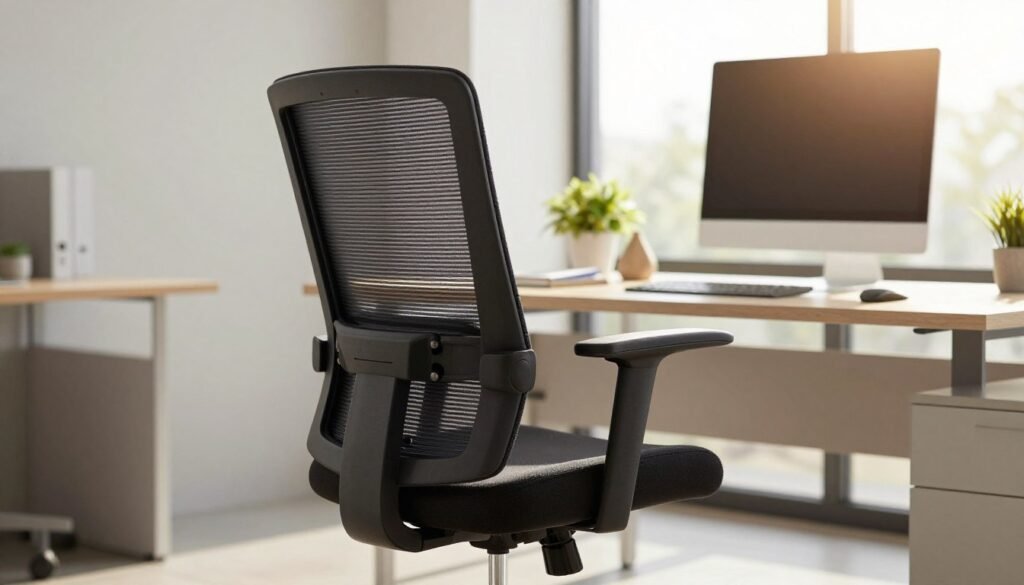
Quality armrests are essential for reducing strain on your neck and shoulders. When shopping, look for “4D” or “5D” options that offer maximum adjustability. These should move up and down, side to side, and even slide forward or backward to match your desk height.
Ideally, these components should lock firmly into place once you find your preferred setting. If they move too easily, you might lose your ergonomic position while typing. Proper support for your elbows keeps your wrists at a neutral angle, which prevents repetitive strain injuries over time.
Seat Height Range
Most chairs use a pneumatic lift to control the seat height. To find your ideal level, pull the lever while standing up to raise it or while sitting down to lower it. Your feet should rest flat on the floor with your knees at a 90 to 100-degree angle.
Always check the minimum and maximum range before you buy. Some desks are taller than average and require a higher cylinder to reach a comfortable working position. Ensuring the height is correct helps maintain blood flow in your legs throughout the day.
Seat Depth Adjustment
If you are taller than average, seat depth is a feature you cannot ignore. You should be able to slide the cushion forward or backward to accommodate your thigh length. There should be a gap of about one to two inches between the front edge and your knees.
Without proper depth, the front of the seat can press against your legs and restrict circulation. This small adjustment makes a massive difference in how the chair feels during an eight-hour shift. It ensures your back stays firmly against the backrest at all times.
Lumbar Support
Good lumbar support mimics the natural curve of your lower spine to prevent slouching. Look for a system that allows you to move the lumbar pad up and down to hit the small of your back perfectly. Some advanced models even let you change the pressure or depth of the support.
Without this feature, you may experience significant lower back pain after just a few hours. A reliable office chair should keep your spine in a healthy “S” shape. Always test how the lumbar support feels against your back to ensure it provides enough firmness for your needs.
Recline and Tilt Functions
The ability to recline allows you to shift your weight and give your back a break. Better chair models allow you to lock the tilt at various angles so you can find a relaxed position. Look for a tension knob that lets you adjust how much force is needed to lean back.
These adjustments encourage movement, which is vital for spinal health. You should be able to rock gently or lock the backrest in a slightly reclined position while reading. This flexibility improves overall comfort and keeps you focused on your tasks without feeling stiff.
Build Quality and Materials
The build quality determines if your office chair will last for years or just a few months. Look for metal frames and reinforced nylon bases rather than thin plastic parts. High-density foam is also preferred over cheap padding because it maintains its shape and won’t bottom out over time.
| Feature | Optimal Requirement | Benefit |
|---|---|---|
| Armrests | 4D Movements | Reduces shoulder strain |
| Base Material | Heavy-duty Metal/Nylon | Increased durability |
| Cylinder | Class 4 Gas Lift | Smooth height changes |
How to Sit Properly at Your Desk
Mastering the art of sitting is just as important as selecting the right furniture for your workspace. Even the best office chair won’t save you from back pain if you are not sitting properly. Ergonomics involves your whole setup, not just the seat you buy.
A high-quality chair provides the foundation, but your daily habits determine the outcome. You must learn to align your body to minimize stress on your joints and muscles. Following these guidelines will help you stay productive and comfortable.
Proper Posture Guidelines
Maintain a neutral spine to ensure your back remains healthy throughout the workday. Your shoulders should align directly with your hips while your lower back keeps its natural curve. Avoid slouching or leaning forward toward the desk during long work hours.
Your chair armrests should lift your arms so your forearms stay parallel to the floor. This position keeps your wrists straight and prevents unnecessary strain while typing. Do not rest the bottom of your palms on the office furniture to avoid nerve pressure.
Keep your feet planted firmly on the ground or a dedicated footrest. Aim for a 90 to 100-degree angle at your knees and hips. This ensures proper support for your entire frame and prevents pressure points from forming.
Monitor and Desk Height
Your monitor height is critical for preventing neck and spine pressure. Your eyes should naturally align with the top third of the screen when looking straight. You might need a laptop stand or an adjustable arm to achieve this on your desk.
Ensure you have enough space on the desk surface to use your peripherals without reaching too far. Gaming mice often offer better ergonomic shapes that provide more comfort for your hand. Proper alignment helps you avoid the nagging back pain often caused by looking down for too long.
Movement and Breaks
Sitting for too long increases the risk of heart disease, stroke, and type 2 diabetes. No matter how much support your seat provides, staying still for many hours is inherently unhealthy for your body. The best habit is to stand up and move around every 30 minutes.
A 40-minute daily walk can significantly counter the negative effects of a sedentary life. You can improve your overall health by setting simple reminders on your phone to stretch. These small changes keep your lower back flexible and your mind sharp.
Changing your posture frequently helps distribute the physical load on your back. A high-quality chair facilitates these shifts, but you must remain active to see results. Consistency is the primary key to a pain-free and efficient workday.
| Posture Element | Ideal Position | Primary Benefit |
|---|---|---|
| Feet Placement | Flat at 90-100 degrees | Improves circulation |
| Monitor Height | Eye level with screen top | Reduces neck strain |
| Arm Position | Parallel to the desk | Prevents carpal tunnel |
| Sitting Duration | Take breaks every 30 mins | Boosts cardiovascular health |
| Chair Choice | Provides seat depth | Relieves lower back pressure |
Understanding Office Chair Adjustments
Unlocking the full potential of your seating setup starts with mastering every adjustment at your fingertips. You might have the best chair in the world, but it won’t help if you don’t use the built-in adjustability.
Take ten minutes to explore the mechanism of your new seat to find the perfect fit. Understanding these adjustments is essential to getting the ergonomic benefits you paid for, as most people never properly tune their furniture.
4-Way vs. 5-Way Adjustable Armrests
The armrests on modern ergonomic chairs offer a wide range of motion to protect your shoulders. 4-way models move up and down, side to side, forward and back, and they can also pivot inward or outward.
If you choose a 5-way model, it adds an additional plane of movement for even more custom adjustability. Proper armrests should allow your elbows to rest comfortably while your shoulders stay relaxed and neutral.
Pneumatic Height Adjustment
The pneumatic height lever is a straightforward tool that is often used incorrectly. To raise the chair, you must stand up slightly while pulling the lever to allow the gas cylinder to expand.
To lower it, stay sitting while you pull the handle to use your body weight. You want your feet flat on the floor to provide proper support for your lower body and maintain height alignment with your desk.
Seat Depth Slider Mechanism
A seat depth slider is a game-changer for taller people who need more thigh support. This feature lets you pull the seat forward or push it back to find the sweet spot for your legs.
Ideally, you should have about one or two inches of space between the edge of the seat and the back of your knees. This prevents the pan from cutting off circulation while still supporting your upper legs fully.
Lumbar Support Positioning
Positioning your lumbar support correctly is critical for preventing back pain during long shifts. Run your hand along your spine to find the natural inward curve, then slide the lumbar piece to that exact spot.
Some advanced lumbar systems also let you change the depth of the adjustment. This controls how firmly the chair pushes against your back, so play around with it until the lumbar support feels natural rather than aggressive.
| Feature | Primary Function | Ergonomic Benefit |
|---|---|---|
| Pneumatic Lift | Changes seat height | Promotes blood flow in legs |
| 4D Motion | Moves armrests 4 ways | Reduces strain on shoulders |
| Lumbar Support | Vertical and depth dial | Maintains natural spine curve |
| Tension Knob | Controls recline resistance | Encourages movement in the chair |
| Slider adjustment | Shifts the seat pan | Balances weight across thighs |
Best Accessories for Your Office Chair
Even a budget-friendly chair can feel like a premium throne with the right tactical upgrade. You don’t always need to replace your entire setup to improve your daily comfort. These simple additions help you customize your office space for better health and focus.
Upgraded Casters and Wheels
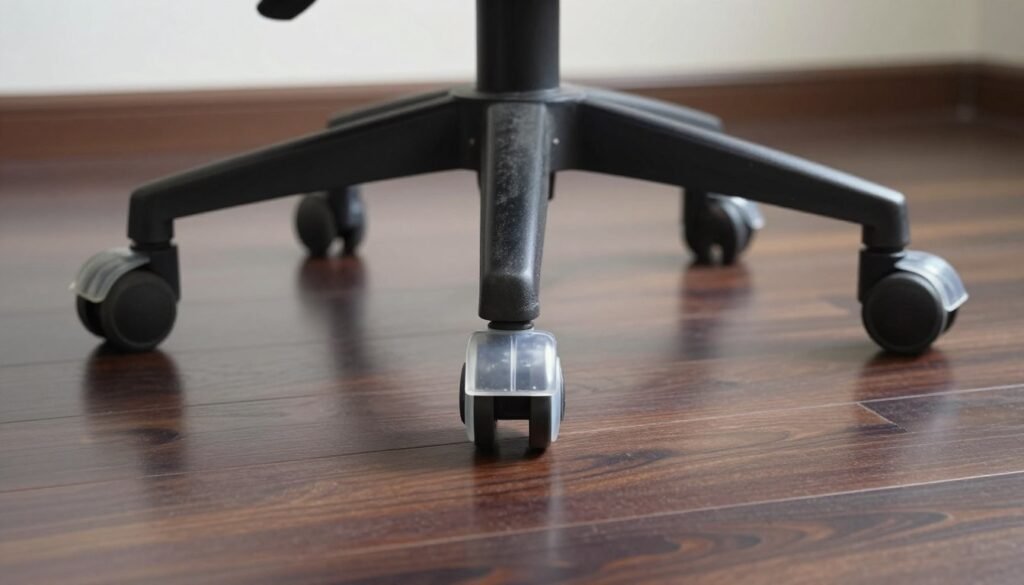
Standard plastic wheels often rattle and scratch expensive floors. Stealtho office chair wheels ($37) provide a silent, smooth gliding experience that feels high-end. They feature soft polyurethane that specifically protects hardwood and tile from unsightly marks.
These wheels fit almost every office chair currently on the market, excluding Ikea models. While they roll effortlessly, they are so smooth they might cause the base to move when you stand up. High-quality replacement wheels make any old chair feel brand new by eliminating typical plastic rattling noises.
Seat Cushions
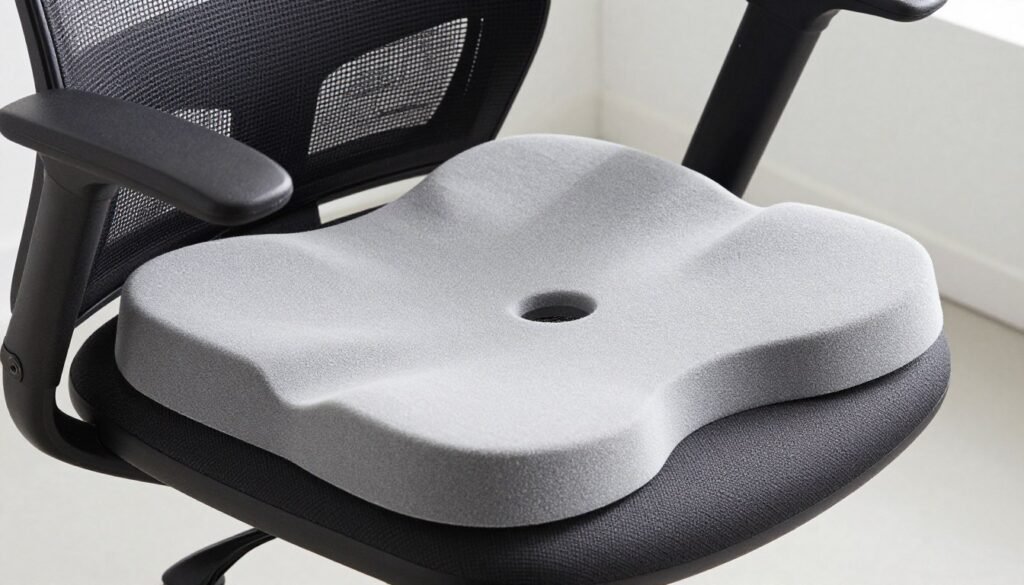
If your current seat feels thin or hard, the CushionLab cushion ($85) adds a plush, ergonomic layer. It utilizes dense foam to redistribute your weight and reduce tailbone pressure during long shifts. This is especially helpful if your original padding has worn down over time.
Since it adds about two inches of height, use it only with an adjustable chair. This ensures your legs remain at the correct 90-degree angle to your desk. This simple accessory works best to save a frame that is otherwise in great condition.
Lumbar Support Pillows
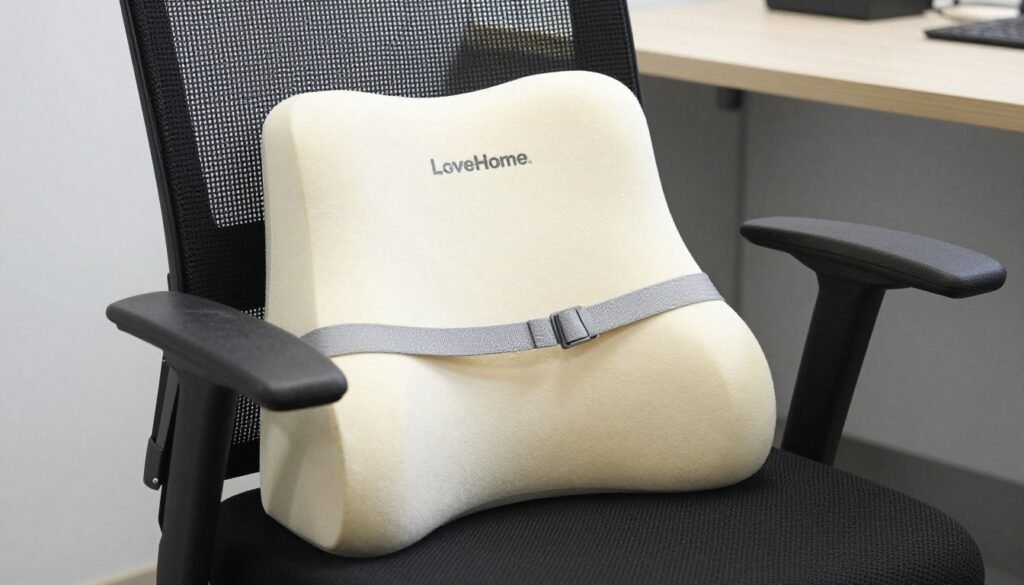
Many affordable units lack deep back contouring. The LoveHome pillow ($22) helps keep your spine straight throughout the long workday. It provides consistent lumbar support using high-grade memory foam that holds its shape under pressure.
This is an excellent choice for chronic slouchers who need a physical reminder to sit upright. This pillow fits snugly against the seat back and features a washable cover for easy maintenance. Adding this extra lumbar support is a smart, low-cost way to fix a poorly designed backrest.
Footrests
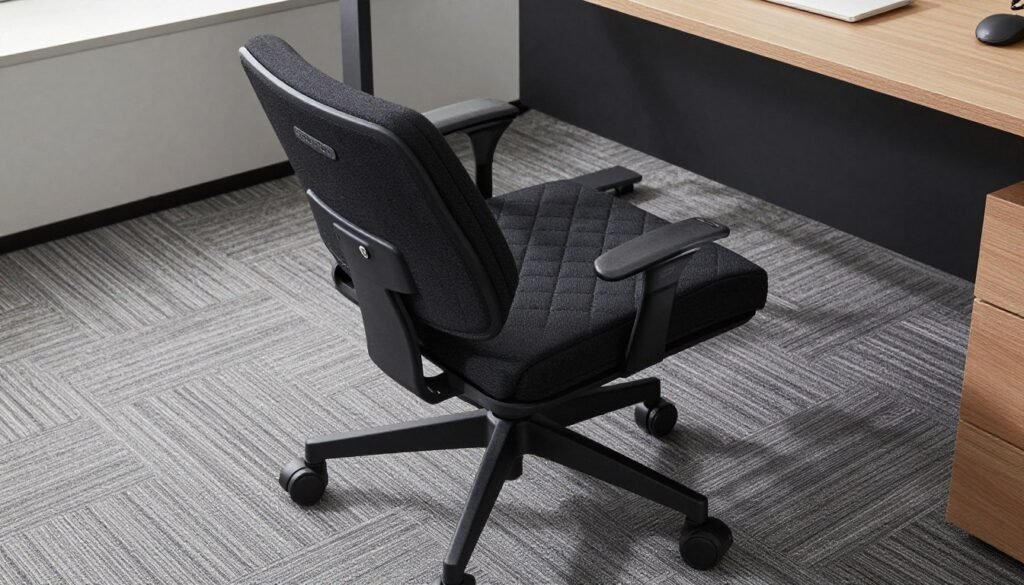
The Secretlab Premium Footrest ($89) improves leg circulation for shorter users. Proper foot support prevents your legs from dangling and reduces pressure on your thighs. This helps you maintain a healthy posture against the seat without straining your lower back.
The silicone base ensures it stays firmly in place on any floor surface. It features a quilted fabric cover that resists pet hair and dirt accumulation. It is the perfect final touch for any professional office environment where a proper chair setup is a priority.
Office Chair Materials: Mesh vs. Foam vs. Upholstered
Your choice of chair material significantly impacts your daily comfort and the overall lifespan of your furniture. The materials your office chair uses dramatically affect temperature regulation and long-term durability. High-density foam strikes a balance between comfort and support, maintaining its shape over several years of use.
Mesh Backrests
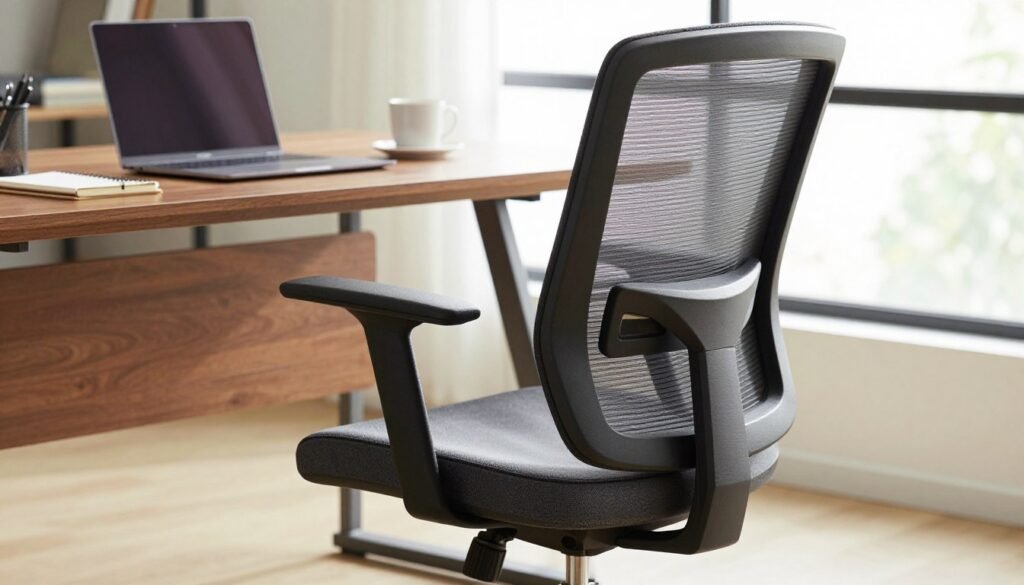
Mesh backrests are champions of breathability in any modern workspace. They allow air to flow through freely and prevent the sweaty back syndrome that often plagues foam and upholstered chairs. The Herman Miller Aeron perfected the mesh backrest design, and virtually every other manufacturer now tries to replicate its success.
Material quality varies enormously even within the same category of products. Cheap mesh feels flimsy and loose, while premium versions provide firm, supportive elasticity. If you live in a hot environment or tend to overheat, mesh is almost always the better choice. It is also generally easier to maintain and clean than thick pads.
Memory Foam Seats
Memory foam seat options initially feel luxurious and contouring to the touch. They mold to your body shape but have a tendency to trap heat during the day. This can make the seat feel too “sinky” for people who prefer much firmer support. While memory foam provides instant comfort, it might run warmer than standard high-density padding.
Consider your personal climate and how warm you run before choosing this material for your seat. If you prefer a firmer feel, you might find a memory foam seat too soft for long-term concentration. However, for those who want a “cloud-like” sensation, it remains a very popular choice. It works well for short periods but needs regular breaks to keep you cool.
Upholstered Fabric
Upholstered fabric and leather chairs look professional and feel premium in an executive setting. However, these materials run significantly warmer than mesh alternatives during long sitting sessions. A thick backrest made of cloth can trap body heat and moisture very quickly.
This choice impacts maintenance because a fabric surface can stain easily from coffee or food. Unlike the easy-to-wipe surfaces of a modern mesh chair, spills on upholstery require deep cleaning. While it looks great, it lacks the constant airflow of more modern designs. High-quality options are durable but definitely require more attention to keep them looking fresh.
| Material Type | Airflow Level | Cleaning Difficulty | Best Environment |
|---|---|---|---|
| Breathable Mesh | Excellent | Low | Warm Climates |
| Memory Foam | Low | Medium | Cooler Offices |
| Upholstered Fabric | Medium | High | Executive Suites |
| High-Density Foam | Medium | Medium | Standard Offices |
How Long Should an Office Chair Last
When you invest in a new chair, the duration of its reliability is a key factor in determining its true value. A high-quality office chair should ideally last between 10 to 15 years with consistent daily use. Premium brands like Steelcase and Herman Miller design their products to meet rigorous commercial-grade standards.
These manufacturers often offer a lengthy warranty because they trust the overall build of their furniture. They use a heavy-duty engineered metal frame that can survive for decades of intense work. In contrast, cheap chairs often fail within 18 to 24 months because of inferior materials.
Lower-end models often rely on stamped steel parts and low-density foam. This material compresses quickly, turning your chair seat into a flat, uncomfortable pancake. You might pay $150 for a budget chair, but replacing it every two years costs you $100 annually. Many generic chairs simply lack the structural integrity needed for long shifts.
Buying a refurbished premium office chair for $650 might seem like a large expense at first. However, if it lasts 12 years, it only costs you $54 annually. This smart approach saves money and keeps broken chairs out of landfills. Investing in durability is always the greener choice for your workspace.
Always check the warranty and the frame material before you make a final purchase for your office. A sturdy chair ensures your office setup remains supportive and healthy for your back. Choosing a well-made seat is an investment in your long-term comfort and productivity.
| Feature | Budget Chair (Under $150) | Premium Chair ($600+) |
|---|---|---|
| Expected Lifespan | 18 – 24 Months | 12 – 15+ Years |
| Frame Material | Stamped Steel / Plastic | Engineered Metal |
| Warranty Period | 1 – 3 Years | 12 Years (Commercial) |
| Estimated Annual Cost | $100 per Year | $54 per Year |
Common Office Chair Problems and Solutions
Owning a budget-friendly chair doesn’t mean you have to throw it away the moment something starts making noise. Most common issues with an office chair are actually easy to fix without spending a fortune. Even high-quality models face wear and tear after years of daily service.
Chair Sinking Down
Does your seat slowly drop while you work? This is usually caused by a failed pneumatic cylinder, also known as the gas lift. It is the most common mechanical failure in modern seating.
You can replace this part yourself for about $20 to $40. If the standard height doesn’t work for your desk, you can even buy a “tall cylinder” to give your chair more range. This quick fix saves you from buying a whole new seat. It is a simple job that only takes ten minutes.
Squeaky or Rattling Parts
A squeaky chair is usually just asking for a little bit of attention. This noise often comes from loose bolts or metal parts rubbing together during use. Regular maintenance keeps things moving smoothly.
Tighten all the hardware with an Allen wrench and apply a small amount of lubricant to the joint. This simple adjustment can make your seat feel quiet and sturdy again. Most budget chairs use stamped steel parts which tend to loosen up, so check them every few months.
Armrests Breaking
On many budget models, the armrests are made of hard plastic mechanisms that might crack over time. If a part breaks, check with the manufacturer for replacements first. Because some plastic components are structural, a break might mean it is time to upgrade to a model with better support.
Investing in a chair with metal connections can prevent this problem. However, if the padding is just worn, a simple slip-on cover can extend its life significantly.
Wheels Not Rolling Smoothly
If your wheels feel stuck, they are likely clogged with hair, dust, or carpet fibers. You can often pull this debris out to get them spinning freely once more. For a better experience, many people swap their old wheels for rollerblade-style casters.
These provide much smoother movement and better protection for your floor than standard office chair parts. Replacing casters is one of the easiest ways to refresh your workspace. They typically just pop out of the base, allowing you to snap new ones in. This upgrade makes a massive difference on hard floors or thick carpets.
Conclusion
Since 2018, our team has tested over 200 models to find the best office chair for your unique needs. Our research shows you can get elite support without spending a fortune on high-end brands. The Colamy Ergonomic stands out as a stellar investment that competes with much more expensive luxury models.
If you have a tight budget, the Colamy Kirin is a great chair for the price. While cheap chairs often fail after 18 months, a quality chair can last 10 to 15 years. This long life saves you more money than buying a generic chair every single year.
Be careful when shopping online, as some reviews for office chairs are faked. True comfort requires a chair that fits your body and offers adjustable support. Even a best office setup cannot stop back pain if you never move or sit poorly.
Choosing a reliable office chair is the best office move for your long-term health. Take time to set up your ergonomic office correctly and take frequent breaks. Your spine will benefit from this smart choice for years. Durable chairs provide relief, while a top office chair helps you stay focused. High-quality chairs make work easier.