
A messy desk can make it hard to focus on your work. Most people deal with tangled wires and cables that look like a bird’s nest under their workstations. This visual chaos frustrates many professionals and impacts their daily productivity and focus.
Effective cable management cleans up your workspace without costing a huge fortune. You can find useful products at every price point for your home office. A simple five-dollar tie works well for basics, but a premium $265 case offers a totally hidden, sleek look.
We tested the best cable options to see what actually works for your desk. Proper organization keeps cables safe and reduces tripping hazards in the room. Using a sturdy case ensures that your cables stay organized for many years to come. This guide includes affiliate links to support our detailed hands-on reviews.
Why Cable Management Matters for Your Workspace
Effective cable management is more than just about looks; it changes how you work. Proper organization gives your setup a complete makeover, turning a chaotic pile into a clean and productive workspace. When your desk is super organized, you can focus better on the tasks that actually matter by removing messy cables from your sight.
Tangled cables are not just ugly; they are a real safety hazard in any home or office. Bunched wires can lead to tripping or even become a fire risk without enough ventilation. Good management ensures your space stays safe for everyone while keeping your power strips from overheating.
Proper cable care also protects your expensive tech gear from wear and tear. Constant pulling or pinching can ruin a PC case or damage the internal wiring of your favorite products. Using a thoughtful design keeps everything running smoothly and extends the life of your electronics.
Dealing with a desk full of mystery wires makes troubleshooting a total nightmare for any user. A well-ordered system lets you find exactly what you need in a case of an emergency or equipment change. This saves time and reduces the frustration of tracing a single cable through a dusty, tangled mess.
Working in a clutter-free environment does wonders for your mental clarity and overall stress levels. This is especially true for standing desks where cables must move freely without getting snagged or disconnected. Good management of your cable routing keeps your airflow high and ensures your hardware stays cool and efficient.
| Benefit | Practical Impact | Why It Matters |
|---|---|---|
| Productivity | Clearer workspace | Reduces mental distractions |
| Safety | Fire prevention | Improves airflow and cooling |
| Durability | Wire protection | Prevents bending and pinching |
| Maintenance | Easy access | Identifies devices instantly |
What to Look for in Cable Management Solutions
Finding the right solution depends on several key factors that affect how well your workspace functions. You should look for a setup that handles your current tech while leaving room for future growth.
A well-organized desk makes every task feel smoother and less stressful. Taking a few moments to evaluate your specific needs will help you avoid buying the wrong tools.
Size and Capacity Considerations
First, count your cable count and look at the size of your current surge protector. A good cable management system should be big enough to house your gear comfortably.
If a case is too small, it will lead to overcrowding and messy results. Ensure the design includes wide openings so cords can run in and out without bending sharply.
Material Quality and Durability
The material you choose impacts how long the organizer lasts under pressure. Lightweight plastic products are great for small devices like phone chargers or lamp cords.
For heavy-duty setups, consider metal trays that can support the weight of multiple bricks. A sturdy cable tray prevents sagging and ensures your wires stay off the floor for years.

Installation Method Options
You have several installation options depending on your office furniture. Adhesive clips work well for glass desks, while screw-in trays offer a permanent fix for wooden tables.
Magnetic attachments are a clever choice if you have a metal desk frame. Always check if you want a removable solution or something more stable before you begin your project.
Ventilation and Safety Features
Safety is vital when grouping power adapters and high-voltage equipment together. Look for cable organizers with ventilation slits to help prevent overheating during long work hours.
In any case, a lid that is easy to remove is a huge plus for maintenance. You don’t want to struggle with your cable management every time you need to plug in a new gadget.
| Feature | Plastic Box | Metal Tray | Adhesive Clips |
|---|---|---|---|
| Durability | Moderate | High | Low |
| Install Style | Free-standing | Screw-mount | Stick-on |
| Best Use | Floor storage | Under-desk | Surface routing |
| Capacity | High | Very High | Very Low |
Budget-Friendly Cable Management Solutions Under $20
Organizing your wires shouldn’t cost a fortune, and these low-cost options prove that efficiency is affordable. You can achieve a professional and clean look without spending much money.
Many users find that simple tools offer the most flexibility for a changing workspace. These budget-friendly picks allow you to tidy up your cable mess immediately.
Skalon Zip Ties with Base Mounts
Overview
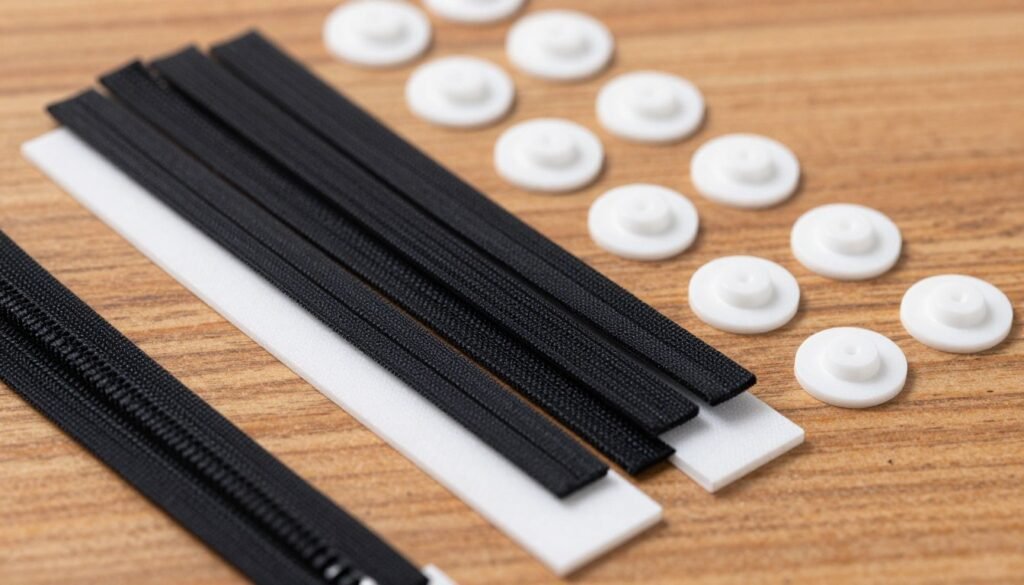
Skalon Zip Ties are the most affordable way to group your wires for under $5. These ties provide a very strong hold without adding any bulk to your desk setup. In any case, you can find these cable ties almost anywhere because they are so popular.
Adding a pack of base mounts for about $3 expands your options significantly. These mounts let you anchor your bundles directly to the underside of your furniture.
Pros
These fasteners are incredibly lightweight and take up almost no room. They are reliable and keep your ties tight even under constant pressure. You get a massive quantity of units for a very low price.
Cons
You must cut these cable ties every time you want to move a wire. This creates waste in the case of frequent hardware changes. They also struggle to hold very large power adapters securely.
Best For
This solution is perfect for users with a permanent cable setup who want the lowest price possible. It works well for people who enjoy a “set it and forget it” approach to organization.
Amazon Cable Management Kit
Overview
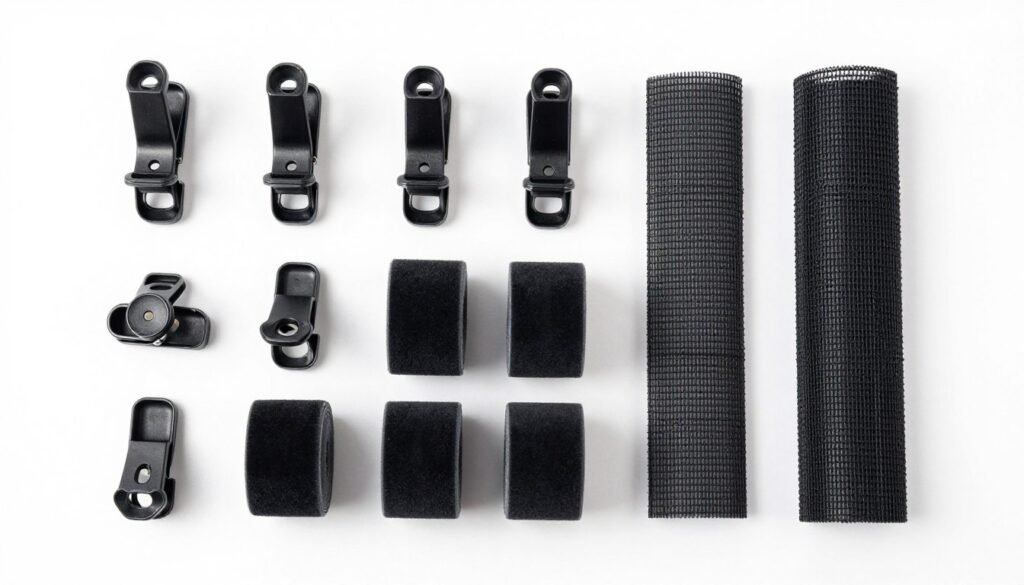
The Amazon Cable Management Kit is often called the best cable starter pack for $15. This bundle includes several different products like clips, sleeves, and a Velcro roll. It uses a strong adhesive to keep everything locked in place under your work surface.
Pros
The kit offers incredible variety to handle different cables in one package. The adhesive backing on the clips is strong enough to hold heavy power cords. You can use the included ties to bundle long wires together quickly.
Cons
The ties in this kit are not always reusable depending on the specific version. You might find that the cable sleeves are a bit short for very long standing desks. It does not include a large box to hide bulky power strips.
Best For
This kit is ideal for beginners who need multiple tools to fix a messy area. It is great for keeping your most used cables within reach by using the desktop clips.
Mid-Range Cable Trays for Under Your Desk
If you are willing to spend a bit more, mid-range trays provide the perfect balance of price and performance. These solutions generally fall between the $35 and $50 price point. They offer much more stability than the cheapest options while remaining affordable for a home office management upgrade.
Stepping up to this category ensures you get metal construction and better mounting hardware. These products are built to handle the weight of heavy power bricks and multiple bundles. They create a cleaner look by lifting everything off the floor and hiding the mess behind your furniture.
Pamo Cable Trays
Overview
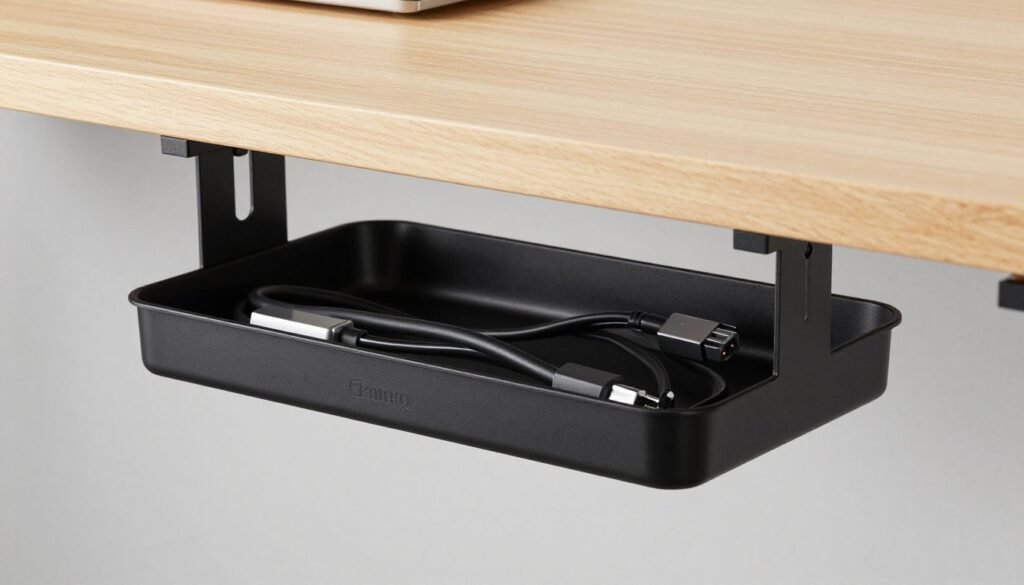
The Pamo Cable Trays cost around $35 per set and come in black, white, or silver finishes. These metal trays are notably large and rigid to hold anything you need for your desk. Even though they are sturdy, they remain flexible enough to bend slightly around awkward cable paths.
Installation is simple because they allow you to fit a drill or screwdriver directly through the frame. This smart design means you can attach them quickly without struggling with tight angles. Keep in mind that these items frequently go in and out of stock on popular stores.
Pros
The rigid metal build supports significant weight without sagging or bending over time. You can choose from three colors to perfectly match your existing furniture style. The large size provides plenty of room for wide power strips and extra cable length.
Cons
In this case, the main drawback is that the open-wire design makes your cables visible from certain angles. You might need extra ties to keep the inner bundles looking perfectly tidy. Additionally, finding them in stock can sometimes be a challenge during busy shopping seasons.
Best For
These are best for users who want a simple and strong under-desk cable solution. They work perfectly if you prefer a permanent screw-in mount for maximum security.
CCCEI Under Desk Trays
Overview
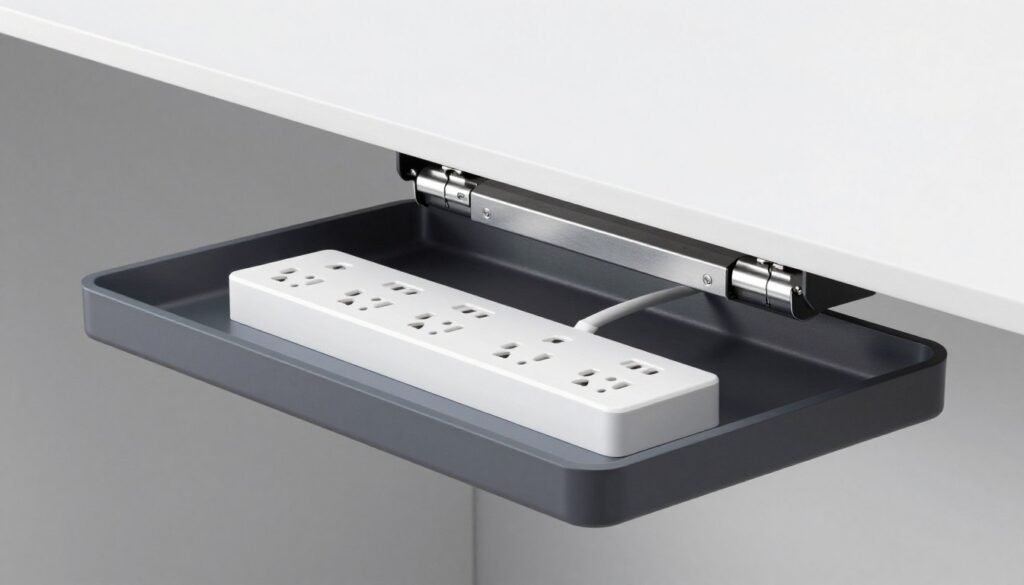
The CCCEI Under Desk Trays offer a unique swing-open design that drops down for easy access. This feature is a case study in convenience, as you don’t have to reach blindly under your desk. You can install them using adhesive pads or traditional screws depending on your preference.
The cable tray is large enough to house a full-sized power strip and most of your peripheral cables. You can even configure it to open toward the front or the back. This flexibility allows for high or low mounting positions to fit any workspace layout.
Pros
The drop-down mechanism makes swapping out chargers or moving devices incredibly fast and simple. Having the choice of adhesive mounting is a huge advantage for those with glass or metal desks. You can also customize the orientation to suit your specific reach and visibility needs.
Cons
One downside is that the construction includes more plastic components than some of its all-metal competitors. This might make the hinges feel less premium over years of heavy use. Also, the cables can still look a bit cluttered if the tray is not fully closed.
Best For
This model is best for people who frequently change their setup and need easy access. It is also the top choice for anyone who wants to avoid drilling holes into their furniture.
Premium Cable Management Systems for Standing Desks
Upgrading to a premium setup means you need a system that moves as fluidly as your workstation does. A standing desk brings a unique challenge because your cords must stretch and retract safely throughout the day.
Standard plastic bins often fail when they are subjected to constant movement. You need a specialized desk cable solution that keeps everything secure while maintaining a clean look.
High-end options focus on both aesthetics and function to ensure your wires never snag or pull. Investing in quality management tools will protect your expensive electronics from accidental damage.
Stand Desk Cable Tray
Overview
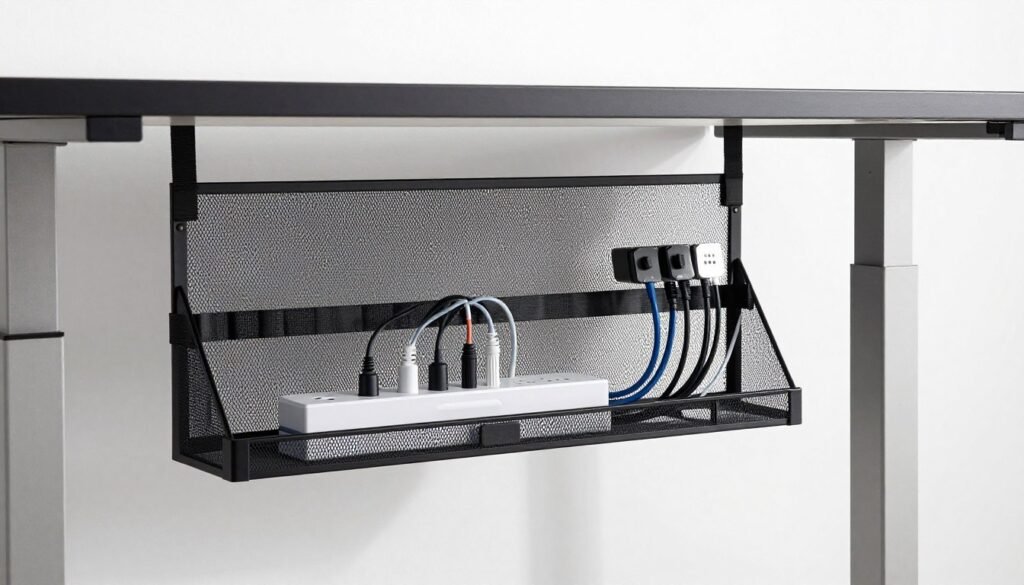
The Stand Desk Cable Tray is a powerhouse for users who need maximum coverage for a reasonable price. At $60, it provides 40 inches of netted storage that spans most of your desk width. This desk cable tray uses a unique velcro system with two separate rows to organize your gear.
The first row is perfect for a heavy power strip, while the second row handles individual cable runs. This dual-zone approach makes troubleshooting much easier later on.
Pros
The netted design is incredibly flexible, allowing you to tuck away bulky cables without struggle. It features a convenient drop-down design, so you can reach your power adapters without unscrewing anything. Strong support is a hallmark of this tray, offering the best overall value at this price point.
Cons
Installation requires a bit of effort since you must drive four screws into the bottom of your surface. While the netted look is functional, it might not look as “polished” as a solid cable box or fabric sleeve.
Best For
This is the ideal case for power users with multi-monitor setups. It provides the most room for people who have several peripherals and large power bricks to hide.
HumanScale NeatTech
Overview
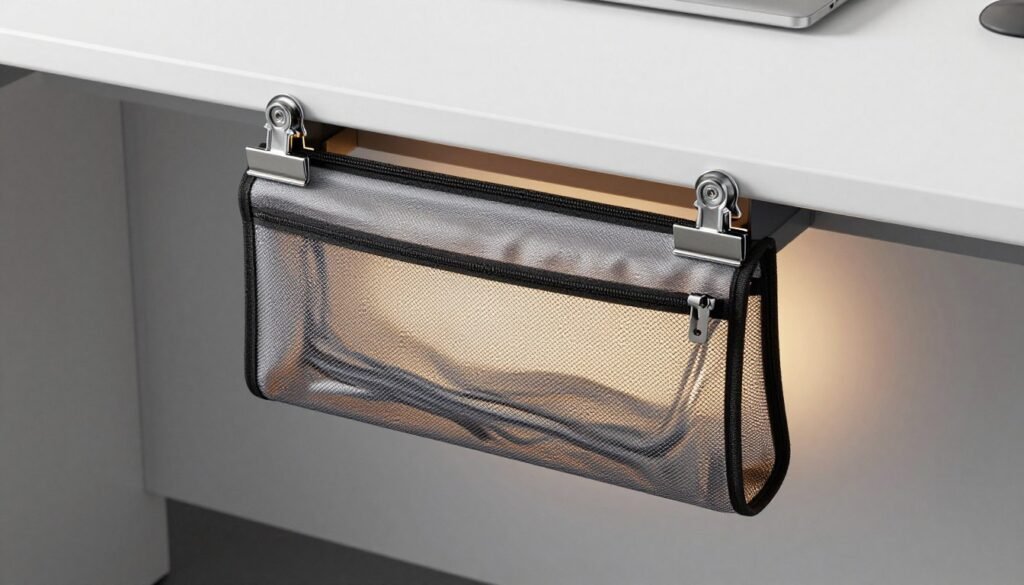
For those who want the most refined management experience, the HumanScale NeatTech is a top-tier contender. Priced at $137.99, it uses a premium mesh material that completely hides your cable clutter from view. It is designed to look like a natural extension of your high-end furniture.
Pros
This product offers the easiest installation in the premium category by using two double clips instead of numerous screws. The high-quality material ensures that cables stay invisible once the tray is closed. It effectively cleans up the look of your desk without requiring permanent modifications.
Cons
The NeatTech is mainly designed to fit an average-sized standing desk and may not work for massive workstations. It only includes a single internal strap row, which offers less organization than the Stand Desk version.
Best For
This is the perfect case for executives or professionals who prioritize a flawless aesthetic. If you want a quick setup and want all cables vanished from sight, this is your best bet.
Best Cable Management Solutions for Complete Cable Concealment
For those who demand a perfectly clean aesthetic, total concealment is the gold standard of cable organization. Sometimes, standard trays or clips just don’t hide enough of the clutter to satisfy a minimalist eye. These high-end solutions ensure that not a single wire remains visible from any angle in your room.
By using a fully enclosed system, you can transform a chaotic mess of wires into a sleek, professional workspace. This approach is perfect for desks situated in the middle of a room where the underside is fully exposed to guests. Let’s look at the best ways to achieve this invisible look.
BTOD Ultimate Cable Management Box
Overview
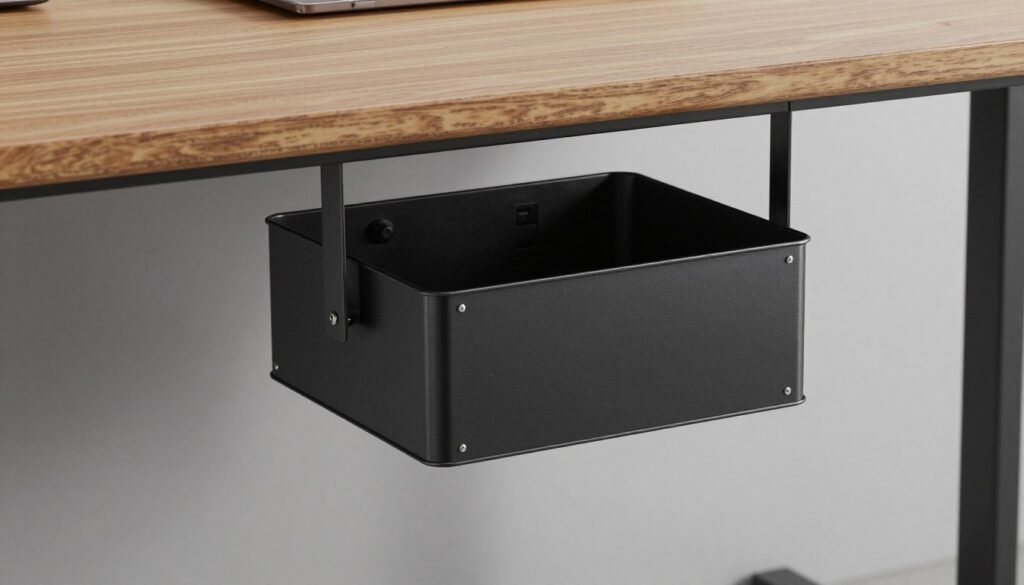
The BTOD Ultimate cable management box is a premium solution for users who want wires to vanish entirely. It is crafted from heavy-duty metal and attaches directly to the bottom of your desk with six screws. This sturdy management box comes in four different sizes, with the 42.9-inch version retailing for $265.
Pros
This box features a massive 50-pound weight capacity to handle your heaviest tech gear. You can fit multiple power strips and bulky chargers inside the enclosure without worrying about sagging. It also includes eight cable routing portals to keep every single wire organized as it enters or exits.
Cons
This is a very bulky case that protrudes more than most slim trays under the desk. The installation requires drilling six holes, which might be a concern for some desk owners. It also represents a much higher price jump compared to standard plastic alternatives.
Best For
It is the best cable management box for professionals who have a lot of gear and need a permanent, heavy-duty solution. If you use a standing desk and want zero visible dangling wires, this is the ultimate choice for your setup.
PVC Plastic Under Desk Cable Tray
Overview
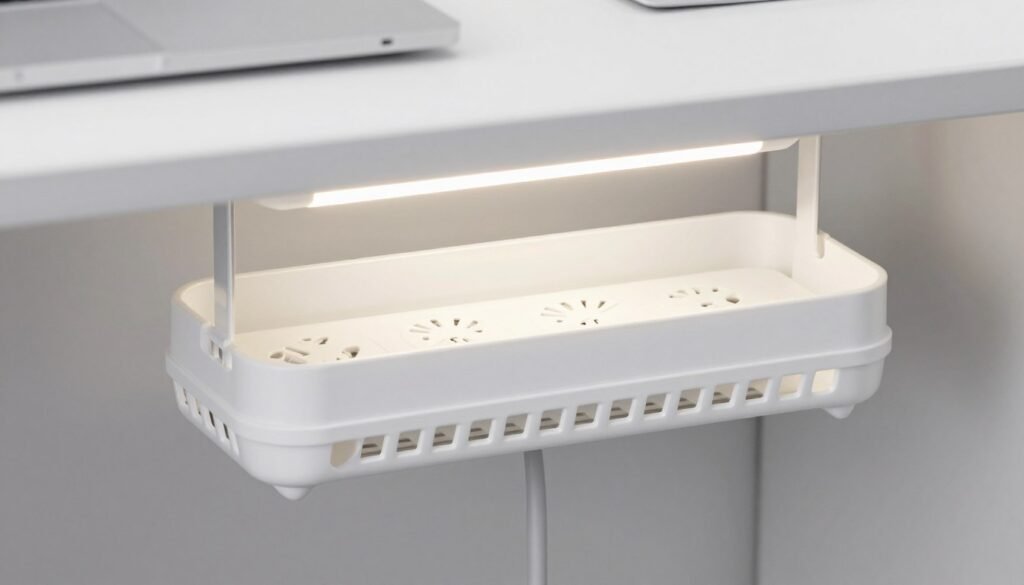
If you need a more affordable way to hide your wires, this plastic tray set is a fantastic alternative. You get two 17-inch trays for just $25, making it a budget-friendly management box for smaller home offices. This case uses a solid wall design to block the view of tangled cords from every direction.
Pros
The plastic construction is lightweight but durable enough to hold a standard power strip. It features clever open slots on the sides to help dissipate heat from your electronics during long work hours. This management box provides a surprisingly high-end look for such a low entry price.
Cons
Installation requires extreme care because the adhesive used is incredibly strong and permanent. You must test-fit every cable and component before sticking it to the desk surface. If you try to move it later, you risk damaging the finish of your furniture.
Best For
This is the best cable management box for students or remote workers on a budget who want a clean look. It works perfectly for those who want to hide cable clutter without spending hundreds of dollars on metal enclosures.
Specialty Cable Organizers for Everyday Use
You don’t always need to hide every wire, especially those charging cables you grab multiple times a day. While large trays handle heavy power bricks, small specialty tools keep your phone and laptop connectors within arm’s reach. Using a dedicated organizer ensures your desk stays functional and your most-used cords never fall behind the furniture.
These solutions focus on convenience and ease of access for frequently moved devices. They bridge the gap between a cluttered desktop and a perfectly managed workspace. Let’s look at three top-rated options that simplify your daily routine through smart design.
Sinjimoru Magnetic Cable Clips
Overview
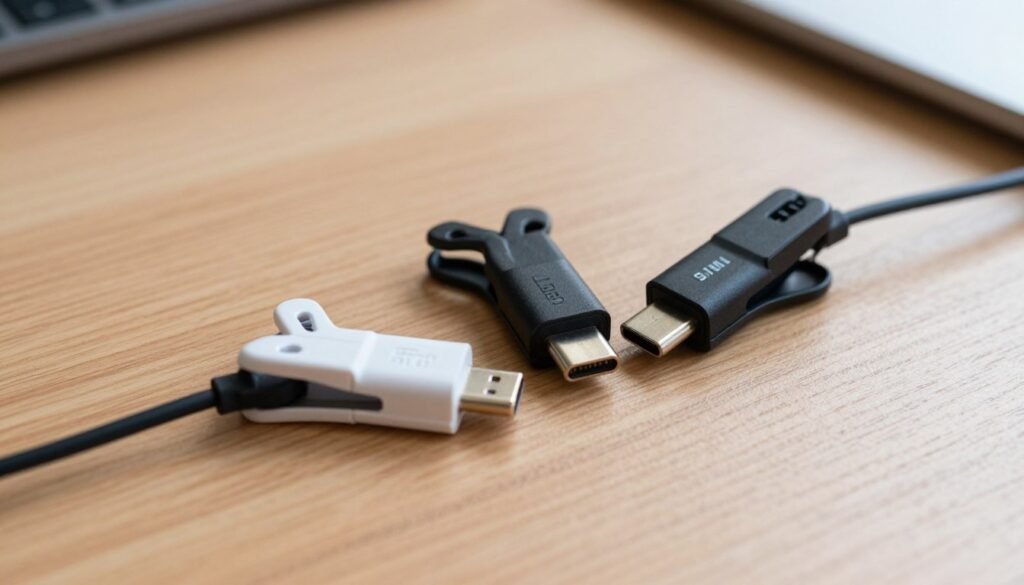
The Sinjimoru magnetic system uses a satisfying snap to keep your wires in place. For $15, you receive a set of three clips and a cradle base. You can choose between classic black or clean white finishes to blend with your current office aesthetics. These cable clips utilize a 3M tape on the bottom to stay firmly attached to flat surfaces.
Pros
The magnetic attachment makes grabbing your charger effortless and surprisingly fun. These cable clips work perfectly with standard lightning, USB-C, and 3.5mm audio wires. They support any cable with a diameter between 2.6mm and 4mm. The small footprint saves valuable space on crowded nightstands or compact desks.
Cons
At $15 for only three units, this is a more expensive way to manage a single cable compared to bulk packs. They are not the best choice if you frequently swap out different types of cords. The magnets are strong, but the cradle must remain stationary for the best results.
Best For
This is a great case for bedside tables where finding a charger in the dark is usually a struggle. It also works well for a minimalist desk setup where you only need to manage a few primary devices.
Velcro Cable Sleeve
Overview
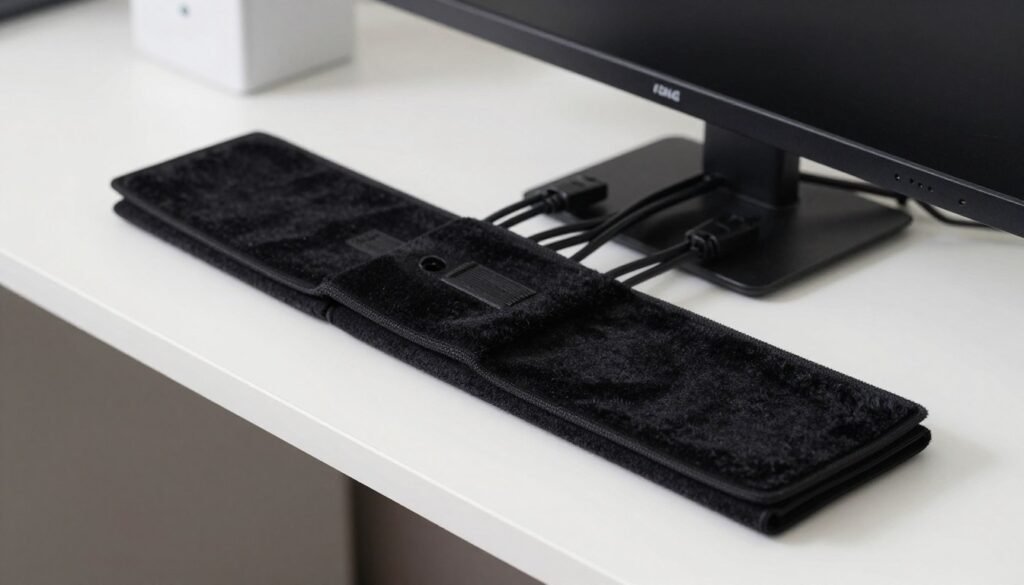
A velcro solution might look basic at first glance, but it provides incredible flexibility. These fabric sleeves feature an adhesive backing that sticks to various materials like laminate or wood. They allow you to bundle several cables together into one clean, unified line along the edge of your furniture.
Pros
Installation is incredibly fast—just attach, wrap, and cut to your desired length. These sleeves create a professional finished look that hides the chaotic colors of different wires. During testing, the bond held well for weeks on laminate surfaces when the area was cleaned first.
Cons
The velcro texture can attract dust or pet hair over long periods. If you don’t prep the surface correctly, the strip might peel off under the weight of too many cables. You have to be precise with your cuts to avoid frayed edges on the fabric.
Best For
This product excels at managing cable runs on the back of monitors. It is also ideal for routing wires down a desk leg to keep them out of your footwell.
Anker Cable Organizer

Overview
The Anker cable organizer costs only $10 and offers exceptional value for budget-conscious users. This kit includes one main base and eight hook-and-loop ties to secure your wires. The specialized adhesive on the bottom is unique because you can remove and re-stick it up to ten times.
Pros
You can easily clean the bottom of this cable organizer to restore its stickiness. The included ties ensure that your wires stay attached to the base even if you move the stand. It provides a very stable platform for multiple cables on a horizontal surface.
Cons
This unit performs poorly when you try to mount it vertically on the side of a desk. The dark blue color is the only option, which might not match every workspace design. Some users find the velcro ties to be slightly bulkier than sleek clips.
Best For
This is the best cable organizer for people who frequently rearrange their desk layout. It is perfect for a dynamic workspace where your needs change from week to week.
How to Choose the Right Cable Management Solution
Selecting the ideal cable management path involves matching your desk type with your aesthetic goals. You have likely seen many options, but the right choice depends on your specific environment.
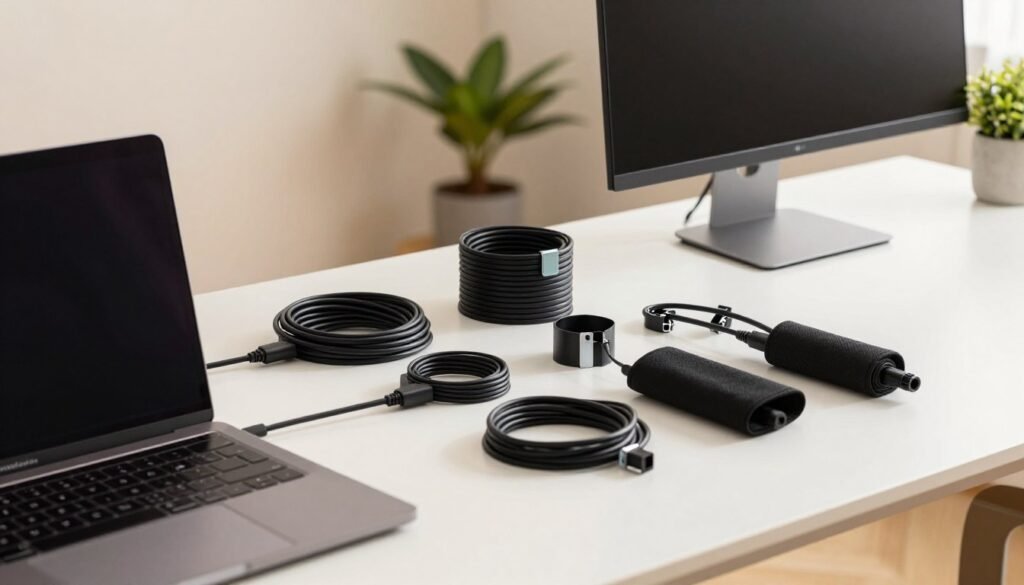
Consider how you use your space every day before buying any accessories. A clean workspace often requires combining a few different tools to handle various cables effectively.
For Standing Desks
Cable routing matters much more when you own a sit-stand desk. Your cables must move freely without snagging when the surface rises or lowers.
In this case, choose the best cable management tools like trays that mount directly to the desk frame. Use flexible sleeves to bundle the vertical cable run from the floor to the tabletop to prevent tension.
For Home Offices
Professionalism is a top priority if you often appear on video calls. A balanced approach combines a basic $15 kit with sleek options like the HumanScale NeatTech.
These solutions keep your background clean and create a productive atmosphere. You should prioritize concealment to keep your creative area feeling fresh and organized.
For Gaming Setups
Gamers often deal with numerous peripherals like mice, keyboards, and high-end headsets. You should combine magnetic clips for easy access with large trays for permanent power bricks.
This dual management style keeps high-performance gear ready for action. It ensures that your most-used wires stay right where you need them during intense sessions.
For Tight Budgets
You do not need to spend a fortune to organize your cable clutter. Start with a $15 comprehensive cable kit to cover all your basic needs at once.
This single purchase addresses most messy situations. You can always add premium best cable management pieces later as your setup evolves and your budget grows.
| Setup Type | Primary Need | Recommended Tool |
|---|---|---|
| Standing Desk | Movement Range | Frame-Mounted Trays |
| Home Office | Visual Appeal | NeatTech or Box |
| Gaming Rig | Peripheral Access | Magnetic Clips |
| Budget-Friendly | Low Cost | Amazon Basic Kit |
Installation Tips and Safety Guidelines
Installing cable management tools correctly prevents damage to your furniture and protects your electronics. Taking a few extra minutes to plan your layout ensures everything remains secure and functional for the long haul.
Ensuring Proper Ventilation
Airflow is critical when you group multiple power adapters and charging bricks together. Heat buildup can shorten the lifespan of your gear or even create a fire hazard in some situations.
Look for a design that includes ventilation slits or an open wire frame. These features allow hot air to escape so your power strip doesn’t overheat. In any case, avoid packing cables too tightly to maintain a safe operating temperature.
Managing Weight Distribution
Before you place your items, consider the total weight of your bricks and cords. While a strong adhesive works for light bundles, heavy setups often require screw-mounted solutions.
Distribute the load across several mounting points to prevent the tray or clip from sagging. Choosing a durable material for your organizers helps support the weight without bending over time.
Surface Preparation Steps
A clean surface is the secret to a long-lasting adhesive bond. Start by wiping the area with isopropyl alcohol to remove dust and oils.
Allow the desk to dry completely before applying any adhesive products. This step ensures the material sticks firmly and won’t peel off when you add your cables.
Avoiding Common Installation Mistakes
Always test-fit your components before you place them permanently. Once you stick an organizer down, moving it is very difficult and can ruin your furniture.
Make sure the design doesn’t block desk legs or adjustment levers. Check that your cords have enough slack to move if you use a standing desk.
| Installation Step | Best Practice | Safety Benefit |
|---|---|---|
| Surface Prep | Clean with alcohol | Prevents adhesive failure |
| Airflow | Use ventilated trays | Reduces fire risk |
| Weight | Balance heavy bricks | Prevents sagging trays |
| Spacing | Test fit components | Avoids surface damage |
Cable Management Strategies for Different Areas
A truly organized setup treats every cable path—from the monitor to the power strip—as part of a unified plan. Effective organization means looking at your workspace as a complete system rather than just a messy pile of wires under your feet.
By addressing every zone, you create a space that feels calm and professional. This approach prevents the case of the disappearing charging wire and ensures your setup remains functional for years to come. It also keeps your floor clear and safe.
Desktop Surface Cable Management
The desk surface is the most visible part of your workspace, so keeping it clean is a top priority. Use magnetic clips to hold frequently used charging cables in place so they do not slide away.
Route each cord along the back edges of your furniture to minimize visual distractions. Strategic placement of speakers and lamps also helps hide the point where each cable enters the work area.
Floor and Vertical Cable Routing
Moving from the desk height down to the floor often results in a messy drop-down of wires. Instead of leaving five tangled snakes hanging, use a fabric sleeve to zip them into one neat line. This vertical routing keeps the transition smooth and professional.
Securing these runs to furniture legs prevents cables from swaying or getting caught in chair wheels. This strategy protects your equipment and keeps your walking path clear of tripping hazards.
Behind Monitor and Wall-Mounted Solutions
The area behind your monitor is a prime spot for hidden cable management. Adhesive clips and sleeves allow you to route peripheral cables along the monitor stand itself.
By guiding the cord along the back of the screen, you keep it out of your normal viewing angles. Always leave a little excess length so you can adjust your monitor’s height or tilt without pulling things taut.
Power Strip and Adapter Organization
Managing your power strip is essential for a safe and tidy environment. You can enclose these strips in dedicated boxes for complete concealment or mount them in a tray for easy access.
Using a cable tray keeps every power strip and heavy adapter lifted safely off the desk or ground. This prevents dust buildup and makes it much easier to clean your office regularly.
| Workspace Area | Recommended Tool | Primary Benefit |
|---|---|---|
| Desktop Surface | Magnetic Clips | Prevents charging cord loss |
| Vertical Runs | Fabric Sleeves | Bundles multiple cables together |
| Power Center | Management Box | Hides strips and large adapters |
| Under-Desk | Metal Tray | Lifts the cable off the ground |
Combining Multiple Solutions for Best Results
The most effective way to clean up your tech area is by layering different cable management products. While a single tray is a great start, it often works best as one part of a larger strategy. In this case, mixing specific tools ensures that every single wire stays in its place.
Pairing Trays with Cable Sleeves
Using under-desk trays like the Pamo model provides a sturdy base for heavy power strips. However, small cables can still peek through the metal gaps and look messy. Wrapping those specific bundles in velcro sleeves creates a much more seamless look. This setup hides the bulk storage while ensuring the cable routing looks professional.
Using Clips with Zip Ties
Secure permanent items like monitor cables with nylon ties for maximum stability. These ties keep the heavy lifting hidden and safely out of the way. Meanwhile, magnetic clips are perfect for the one phone charger you use every day. Combining adhesive clips with reusable ties allows you to separate permanent wires from those you need to move often.
| Solution Component | Primary Function | Synergy Product |
|---|---|---|
| Desk Trays | Power strip support | Velcro Sleeves |
| Cable Ties | Permanent bundling | Mounting Bases |
| Magnetic Clips | Desktop accessibility | Charging Cables |
Creating a Layered Cable Management System
You can start your management journey with a simple $15 Amazon kit. This foundation includes small clips and plastic ties that enhance high-end metal trays. Use these trays for the heavy mass of power bricks and velcro sleeves for vertical routing.
This multi-tool approach addresses cable organization challenges from every angle. By using multiple cables solutions together, you create a cleaner and safer workspace. Adding extra ties ensures that your cable infrastructure never sag. It is truly the best way to handle your specific cable needs for the long term. Even a large cable mess becomes manageable with this layered strategy.
Conclusion
Taming the jungle of wires behind your furniture is more than just an aesthetic choice; it’s a productivity booster. Finding the best cable management solutions depends entirely on your specific desk setup and budget. Whether you have a standing desk or a simple desk at home, effective cable management transforms your space into an organized environment.
You should consider a mix of products to get the best result. Using a desk cable tray along with clips or a sleeve often works better than a single item. Start with foundational items like a basic cable kit. These items provide immediate improvement while you learn what your workspace needs. Effective cable management is an investment in your focus.
Safety is just as important as the final look of your furniture. Ensure your power strips have enough room for ventilation to prevent overheating. Properly securing each strip and any long length of cable prevents tripping hazards and protects your expensive devices. Be sure to plan your layout before using adhesive mounts, as they are often difficult to reverse.
While premium management options offer superior concealment, budget-friendly zip ties can also work wonders. We independently review every product on this list. When you buy through our links, we may earn commission. We earn commission to keep our reviews honest and detailed.
As you add new devices or change your setup, revisit this list to refine your power organization. The time you spend on cables today pays off in a stress-free tomorrow. In any case, we may earn a fee if you use our links. We may earn commission and earn commission to support our site while you manage your cables. Proper cables handling ensures your case stays clean.
The management of your desk cable setup shouldn’t be a one-time task. Keeping your power strips organized in a case or tray makes troubleshooting much easier. In any case, we hope this list helps you find the right cable tools for your power needs. Always measure the length and check the look of your desk cable before buying. Effective cable management is the key to success.
| Category | Recommended Solution | Primary Benefit |
|---|---|---|
| Budget | Skalon Zip Ties | Versatile and affordable |
| Mid-Range | Pamo Cable Trays | Sturdy under-desk storage |
| Premium | BTOD Cable Box | Complete wire concealment |
| Specialty | Magnetic Clips | Quick access for chargers |