
Welcome to our comprehensive guide on how the right desk setup changes your daily mood and efficiency. Finding the best desk lamp for productivity is more than just a simple purchase for your home office. It is a smart way to build a professional space where your mind stays sharp and ready to meet any challenge.
Proper lighting helps reduce eye fatigue and keeps you alert during those long afternoon hours. Today, modern tools offer advanced features like color control and brightness to match your specific needs. A high-quality light source makes complex tasks much easier on your physical health and overall well-being.
This illumination is especially vital to those who work remotely or spend many hours at a screen. We will review six top lamp choices to improve your lighting selection and general comfort at your desk. A steady light helps you achieve professional success, while the right light ensures you maintain peak concentration.
Key Takeaways:
- Enhanced Focus: Quality task illumination reduces eye strain and helps you stay on track for longer periods.
- Modern Features: Adjustable brightness and color temperature settings allow you to customize your environment to your specific task.
Why Proper Lighting Matters for Productivity and Focus
If you find yourself squinting or suffering from headaches by mid-afternoon, your current desk lighting might be the hidden culprit. Poor illumination forces your eyes to work much harder than necessary. This leads to eye strain and kills your concentration during long hours of work.
Research indicates that standard office activities usually require 500-700 lux. However, a detail-oriented task often needs up to 1,500 lux to ensure maximum precision. Light levels under 100 lux are simply insufficient and lead to rapid eye strain.
A quality lamp provides the localized light needed to eliminate harsh shadows and glare. This setup creates a healthy contrast ratio between your bright computer monitor and your workspace. Without enough light, your pupils must constantly dilate, which drains your cognitive energy.
Optimizing your light levels also supports your natural circadian rhythm, helping you maintain alertness. Using a dedicated desk lamp is essential for protecting your long-term eye health and job satisfaction. By choosing the right lighting, you ensure your desk remains a place of high efficiency and comfort.
| Light Level (Lux) | Activity Type | Productivity Impact |
|---|---|---|
| Under 100 Lux | Insufficient | High fatigue and errors |
| 500-700 Lux | General Office | Consistent focus and comfort |
| 1,000-1,500 Lux | Detailed Tasks | Maximum clarity and speed |
How to Choose the Right Desk Lamp for Your Workspace
Selecting the right illumination for your home office requires a balance of style and size. You should start by assessing the layout of your workspace to find the perfect dimensions. A small lamp might look cute, but it may fail to cover your entire work area.
If you have a large desk, you will need a desk lamp with a long adjustable arm. This ensures the light reaches every corner of your surface. For those with limited room, a clamp-on type can save valuable real estate.
Matching your lighting to your décor is a smart move. If your room has a modern feel, choose a sleek led desk lamp to fit the aesthetic. However, never prioritize looks over the actual task you need to perform.
Your age also plays a huge role in choosing desk lamps. People over 50 usually need twice as much light as a 25-year-old. Look for a lamp that offers adjustable brightness to help your eyes stay sharp during long hours.
Think about your specific work habits and the time of day you work. If you often work at night without natural light, you need stronger illumination on your desk. Extra features like USB ports or wireless charging can also make your day much easier.
Finally, ensure you can position the desk lamp precisely where you need it. This prevents glare on your monitor and keeps your desk clear of shadows. Precise adjustment ensures the beam never interferes with your natural workflow.
| Feature | Main Benefit | Best For |
|---|---|---|
| Adjustable Arm | Reaches across large surfaces | Wide desks and drafting |
| Clamp-On Base | Saves surface space | Small or crowded workspaces |
| Dimming Control | Customizes light intensity | Users over age 50 |
| USB Charging | Powers mobile devices | Modern tech integration |
Understanding Brightness Levels and Color Temperature for Work
To truly boost your focus, you must understand how light color and intensity affect your brain. Color temperature is measured in Kelvin (K) and describes the visual warmth or coolness of white light. Low ratings create an amber hue, while higher ratings produce a blue-toned glow.
Choosing the right color temperatures helps set the mood for your entire day. Warm light is soothing and creates a cozy atmosphere for relaxing. However, cooler color temperatures stimulate the brain and effectively increase your productivity during demanding tasks.
| Kelvin Range | Visual Description | Best Use Case |
|---|---|---|
| 2700K – 3000K | Warm White | Cozy environments and relaxing |
| 4000K – 4500K | Neutral White | Computer work and office tasks |
| 5000K – 6500K | Cool Daylight | Reading and intricate detail work |
For computer work, a color temperature of 4000K-4500K provides a neutral white light. This specific color temperature balances coolness and warmth to reduce eye fatigue. If you need to stay alert, 5000K mimics midday sunlight and is optimal for reading.
Managing brightness is just as vital as picking the right color. Your desk should have light levels that are roughly three times brighter than your computer screen. This 3:1 contrast ratio prevents your eyes from dilating back and forth, which often causes headaches.
A high-quality lamp should offer adjustable settings to customize your illumination. You can change the color temperature based on the time of day or the specific task. High light levels are necessary for detailed work, but you should avoid anything over 10,000 lux.
Using a flexible lighting setup ensures you stay energized. When your desk is too dark, specifically under 100 lux, you will quickly experience strain. Finding the perfect color temperature and brightness on your lamp makes your light work for you, not against you.
Best Desk Lamp for Productivity: Our Top Picks
A well-lit desk is the foundation of a focused mind and a highly efficient workday. Choosing the right light can transform your home office into a professional hub. It helps you stay alert while finishing your most important tasks.
The best desk lamp for productivity balances brightness with eye comfort. We have researched several models to find the perfect fit for your specific needs. Each of these options offers unique benefits to help you master your daily schedule.
EppieBasic LED Desk Lamp
Overview
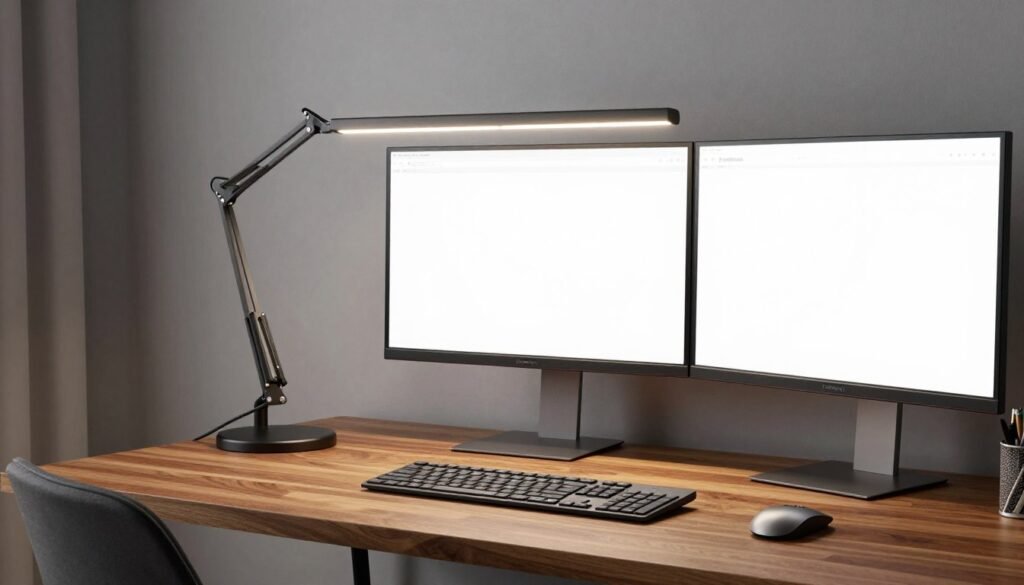
The EppieBasic LED Desk Lamp is a powerhouse for users with large workstations. Its ultra-wide design sits high above your screens. This ensures that every corner of your desk receives even, flicker-free light.
Pros
This lamp covers a massive surface area, making it ideal for dual-monitor setups. It features an auto-dimming sensor that adjusts to your room’s ambient light. The touch controls are very responsive and easy to use during work.
Cons
Because it uses a clamp, it requires a desk with a flat edge for mounting. It might feel too large for very small or narrow writing desks. Some users may find the light too intense at the highest setting.
Features
It offers six dimming levels and five color temperature modes. The memory function remembers your last setting even after you turn it off. Its flexible silicone neck allows for easy height and angle adjustments.
Lampat LED Desk Lamp
Overview
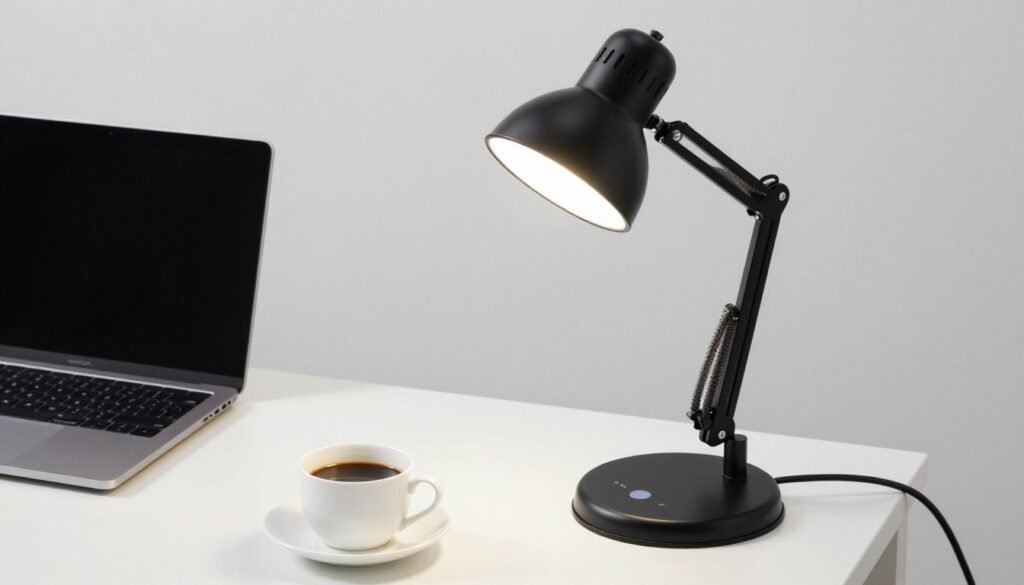
The Lampat LED Desk Lamp is a versatile choice for any modern office. It features a slim, foldable design that saves space when not in use. This lamp provides natural light that is gentle on the eyes during long hours.
Pros
It includes a built-in USB port for charging your smartphone or tablet. The light quality is excellent for reading and deep concentration. It is very energy efficient and stays cool even after hours of operation.
Cons
The base is somewhat lightweight, which can lead to slight wobbling if bumped. The glossy finish tends to attract fingerprints and dust quickly. The USB charging speed is slower than most modern wall adapters.
Features
This lamp boasts four different lighting modes designed for reading, studying, and relaxing. It includes a 60-minute timer to help you track your work intervals. The touch-sensitive control panel makes switching modes simple and fast.
Mchatte LED Desk Lamp
Overview
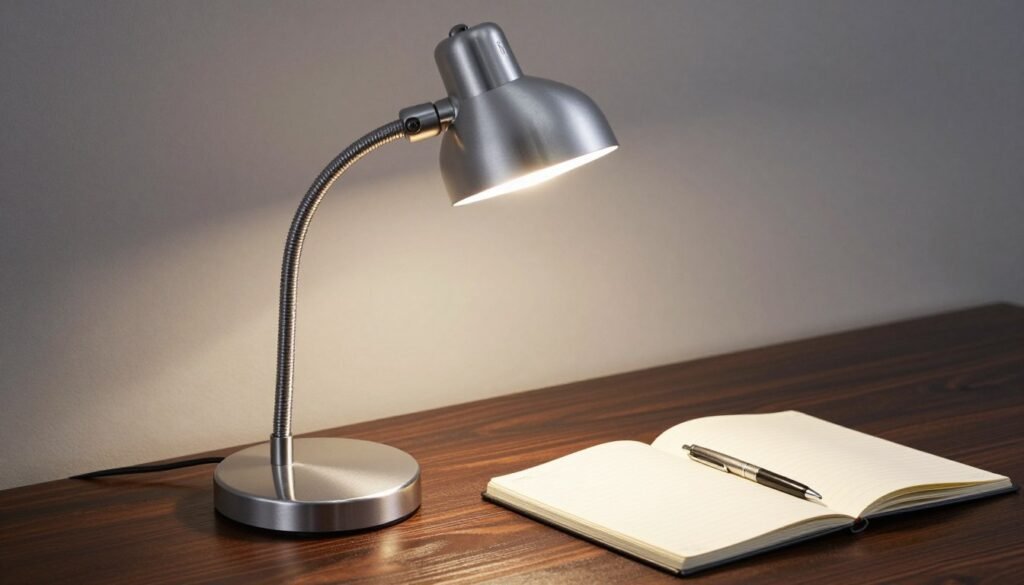
The Mchatte LED Desk Lamp combines a professional look with high-end performance. It uses advanced LED technology to prevent glare and shadows. This model is perfect for professionals who spend all day at their workspace focus areas.
Pros
The metal construction feels premium and durable compared to plastic alternatives. It provides a wide range of brightness that covers all professional needs. The light distribution is very uniform across the entire desktop.
Cons
The power cord is a bit short, which limits where you can place it. Some users might find the control buttons slightly difficult to see in total darkness. It occupies a medium amount of desk space.
Features
It features high-quality LED beads that provide a high Color Rendering Index. This means colors under the lamp look vivid and accurate. The multi-angle adjustment allows you to point the beam exactly where you need it.
Globe Electric 56963 Clamp-On Lamp
Overview
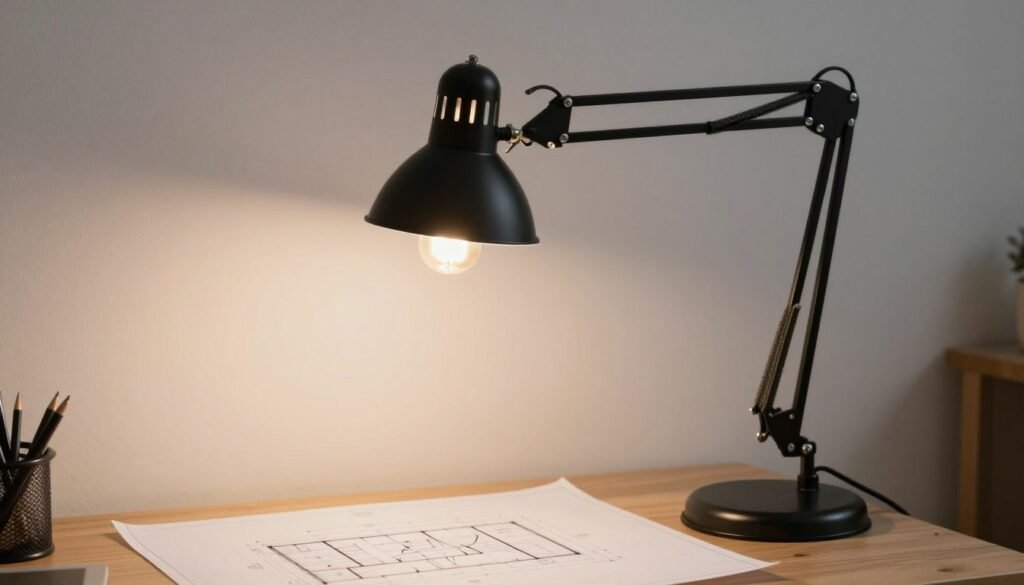
The Globe Electric 56963 desk lamp is a classic architect-style light. It uses a spring-loaded swing arm to give you total control over the light’s position. This is a favorite for designers, artists, and students alike.
Pros
It is incredibly versatile and can be moved in almost any direction. The clamp-on design leaves your entire desk surface open for your work. It is very sturdy and built to last for many years of use.
Cons
It does not come with a built-in LED, so you must purchase a bulb separately. There are no touch controls or dimming features included in the base. The industrial look may not fit every home decor style.
Features
The lamp features a 32-inch reach when fully extended. It uses a simple on/off rotary switch located on the top of the shade. Its interchangeable mounting allows it to stay secure on various table thicknesses.
LEPower Metal Desk Lamp
Overview
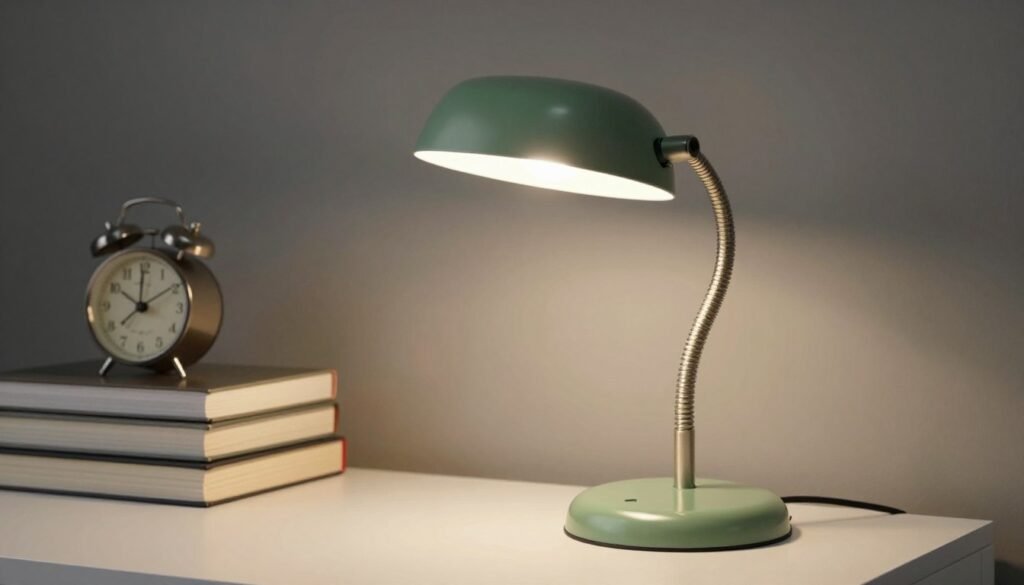
The LEPower Metal Desk Lamp offers a beautiful retro aesthetic for your office. It is made of high-quality metal which provides a vintage and professional feel. This lamp is both a functional tool and a stylish piece of furniture.
Pros
The heat dissipation is excellent because of the metal material used in the shade. It is very easy to assemble and feels heavy and stable on the desk. You can choose your own bulb to customize the light’s warmth.
Cons
The arm is flexible but may lose some tension over long periods of heavy use. It lacks modern features like USB ports or touch dimming. The shade can get warm if you use a high-wattage incandescent bulb.
Features
It features a flexible gooseneck that allows for 360-degree rotation of the lamp head. The sandblasted finish prevents scratches and maintains a clean look. It works perfectly with LED, energy-saving, or incandescent bulbs.
NovoLido Rechargeable Desk Lamp
Overview
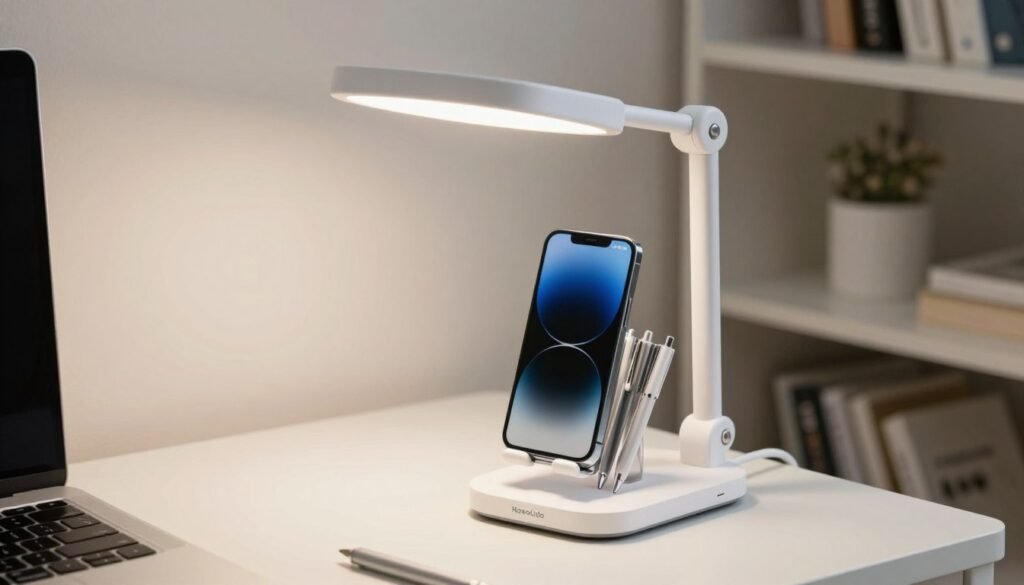
The NovoLido Rechargeable Desk Lamp is a highly portable solution for small spaces. It features an internal rechargeable battery that allows for cordless operation. This makes it a great choice for users who move around their home to work.
Pros
You can take this lamp anywhere without worrying about finding a power outlet. It includes an integrated phone stand to keep your device at an optimal viewing angle. The built-in pen holder helps keep your workspace organized and tidy.
Cons
The included charging cable is quite short and may require an extension cord. Its lightweight construction makes it easy to knock over if you aren’t careful. The battery life can vary significantly depending on the brightness level used.
Features
It uses a flexible gooseneck that bends easily to target light in any direction. The USB charging system is compatible with laptops, power banks, and wall chargers. Its compact and lightweight design is specifically optimized for portability and space efficiency.
Essential Features That Boost Workplace Focus and Efficiency
A great work light does more than just shine; it adapts to your unique workflow and environment. To minimize glare on your screen, always choose a task lamp with an adjustable head and arm. These flexible designs allow you to pivot the light exactly where you need it most.
High-quality lighting stays focused on your documents rather than reflecting off your monitor and causing glare. An led source is particularly effective because it stays cool to the touch during long hours. Modern led heads offer a precise, directional light that traditional bulbs simply cannot match.
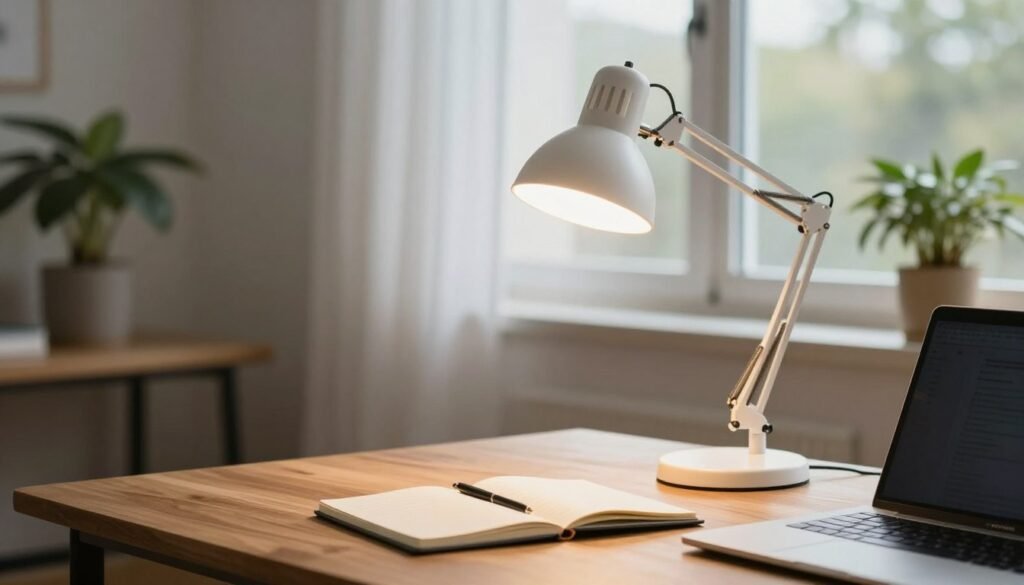
Using a task lamp with a 30-degree beam spread highlights your work without affecting nearby activities. This controlled beam ensures you stay focused on the specific task at hand. If your desk fixture lacks a built-in switch, you can easily add cord dimmers for better control.
Proper lighting should include dimming capabilities to help you match the surrounding ambient light. Adjusting the brightness of your lamp prevents eye fatigue as natural sunlight changes throughout the day. Many desk models now feature memory settings that save your favorite brightness and color levels.
| Feature | Productivity Benefit | User Advantage |
|---|---|---|
| Adjustable Arm | Eliminates reflections | Precision placement |
| Dimming Switch | Reduces eye strain | Custom intensity |
| USB Ports | Clears cord clutter | Device charging |
Advanced led technology often includes wireless charging pads to keep your workspace organized. Some units even use sensors to track ambient light and adjust their output automatically. These features make every professional task simpler while maintaining a highly efficient and comfortable office environment.
LED vs Halogen vs Incandescent: Which Lamp Type is Best
Navigating the world of desk lighting involves a head-to-head battle between traditional halogen bulbs and modern led lamps. While older bulbs provide warm light, they often waste significant energy. They can also get dangerously hot during use, making them less ideal for cramped workspaces.
A modern led task lamp is much more efficient, using only one-fifth the power of a halogen lamp. These led lamps last roughly 50,000 hours, which is much longer than standard bulbs. This longevity means they could serve your desk for nearly 30 years without a replacement.
Halogen and incandescent lamps boast a perfect CRI of 100, showing colors with absolute accuracy. However, high-quality led lamps now reach a CRI of 80 or higher, which is excellent for most light work. Using these lamps ensures your eyes stay fresh while saving money on your monthly energy bills.
Safety is a major factor when choosing a specific bulb type for your home office. You can touch an led without getting burned, unlike a halogen light that often poses a fire hazard. Modern led technology stays remarkably cool even after several hours of intense focus.
Choose led for the best combination of longevity and safety. This type of lighting allows for sleek designs that fit any desk setup perfectly. Modern lamps are superior, as they produce clean light for your workspace, and high-performance lamps offer better value than any standard lamp. Traditional lamps simply cannot compete with this efficiency.
| Feature | LED Technology | Halogen Bulbs | Incandescent |
|---|---|---|---|
| Average Lifespan | 50,000 Hours | 2,000 Hours | 1,000 Hours |
| Energy Efficiency | Very High | Low | Very Low |
| Heat Output | Cool to Touch | Very Hot | Hot |
| Color Quality (CRI) | 80 – 95 | 100 | 100 |
Positioning Your Desk Lamp for Maximum Productivity
Setting up your task lamp correctly is a game-changer for maintaining energy levels during long sessions of work. To protect your eyes, place the fixture above your head and out of your direct line of sight.
This positioning prevents the bulb from shining directly into your eyes, which can cause significant distraction. Correct placement ensures that the bulb remains hidden while the surface stays bright.
Placement depends heavily on your dominant hand to keep shadows away from your paper. If you are right-handed, place the lamp on the left side of your desk. This simple switch keeps your workspace clear and easy to navigate.
| User Type | Optimal Placement | Primary Benefit |
|---|---|---|
| Right-Handed | Left Side | Eliminates hand shadows |
| Left-Handed | Right Side | Clearer view of the task |
Avoid placing the light source too close to your computer monitor. Doing so creates a harsh glare that makes it difficult to see the screen clearly.
Aim for an angle of 30 degrees to keep the light focused on your task without bouncing off glossy surfaces. This specific angle is vital for those using glass surfaces to prevent blinding hotspots.
Position the desk lamp to avoid constant pupil dilation, which often leads to painful headaches. Your desk lamp should provide even illumination so your eyes don’t have to adjust when switching between the screen and the desk.
Optimizing Desk Lighting for Video Conferencing Success
You can upgrade your virtual presence by simply adjusting where you place your desk lamp. Since remote work is now standard, quality lighting helps you look professional during every call. Put your light source directly in front of you and slightly above eye level to remove dark shadows from your face.
Avoid placing a bright lamp behind you. This mistake creates a dark silhouette on your computer screen, making you invisible to others. Instead, face a window in your workspace to mix natural light with your desk setup. This blend creates a healthy glow that makes you look more approachable.
Harsh overhead lights often create dark bags under your eyes and chin. To fix this, use a diffuser or lower the brightness in your home office to achieve a soft effect. Always test your setup by checking your office appearance on your computer preview before your meeting starts. This ensures your lighting stays perfect throughout the call. Proper light on your computer keeps the focus on your ideas, not your shadows.
| Lighting Goal | Best Action | Visual Benefit |
|---|---|---|
| Face Clarity | Position light at eye level | Even skin tone |
| Shadow Reduction | Use soft or diffused bulbs | Removes harsh lines |
| Subject Focus | Remove strong backlights | Clear, visible features |
Protecting Your Eyes: Task Lighting and Long-Term Eye Health
Good task lighting acts as a shield for your eyes, protecting them from the cumulative damage of long work hours. Insufficient light forces your eyes to struggle during focus-heavy sessions, which often leads to chronic headaches. Investing in a quality task lamp now helps prevent vision decline before it starts. This lamp provides focused illumination exactly where you need it most.
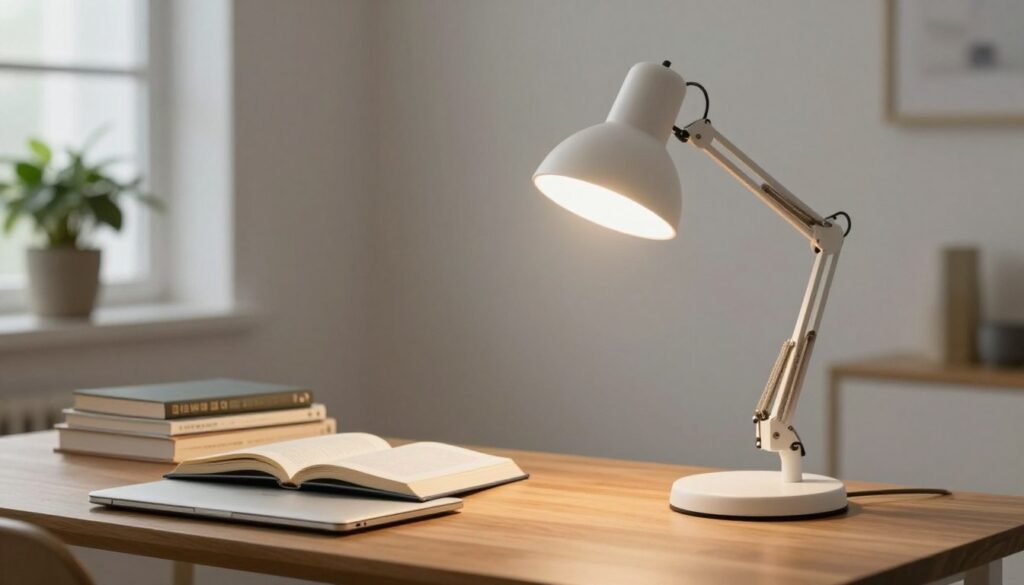
As you age, your lighting needs change significantly throughout your life. A person over 50 typically requires twice the light of a 25-year-old for comfortable reading. However, older eyes are also more sensitive to glare, making a controlled led task lamp with a dimmer very important. You should choose fixtures that offer a steady, flicker-free beam to reduce ocular fatigue.
Using a proper desk setup reduces digital eye strain by balancing the contrast between your screen and the workspace. Prevention is key to maintaining healthy vision over many hours of reading. A high-quality desk task fixture with led light is a vital lamp for long-term wellness.
| Age Group | Brightness Needs | Eye Health Feature |
|---|---|---|
| 25 Years | Standard (1x) | Blue light reduction |
| 50 Years | High (2x) | Anti-glare control |
| 65+ Years | Maximum (3x) | High contrast dimming |
Conclusion
Investing in a quality led desk lamp today is a vital step toward better eye health and higher productivity. Selecting the best desk lamp for your needs requires balancing light quality, features, and your budget. Proper desk lighting is a necessity for anyone spending hours at a computer or reading at home.
Modern led desk models offer amazing versatility with adjustable brightness and color temperature. Use touch controls and custom settings to provide ideal illumination for various tasks. A good desk lamp offers the perfect light source for your work, transforming your office into a focused workspace.
Consider your desk size and if you prefer table or floor lights. A good desk setup with quality lamps protects your eyes during long hours. Explore these designs today to find the perfect led solution that brightens your home and optimizes your workspace for success.